SaaS vs. On-Premise Software: Key Differences

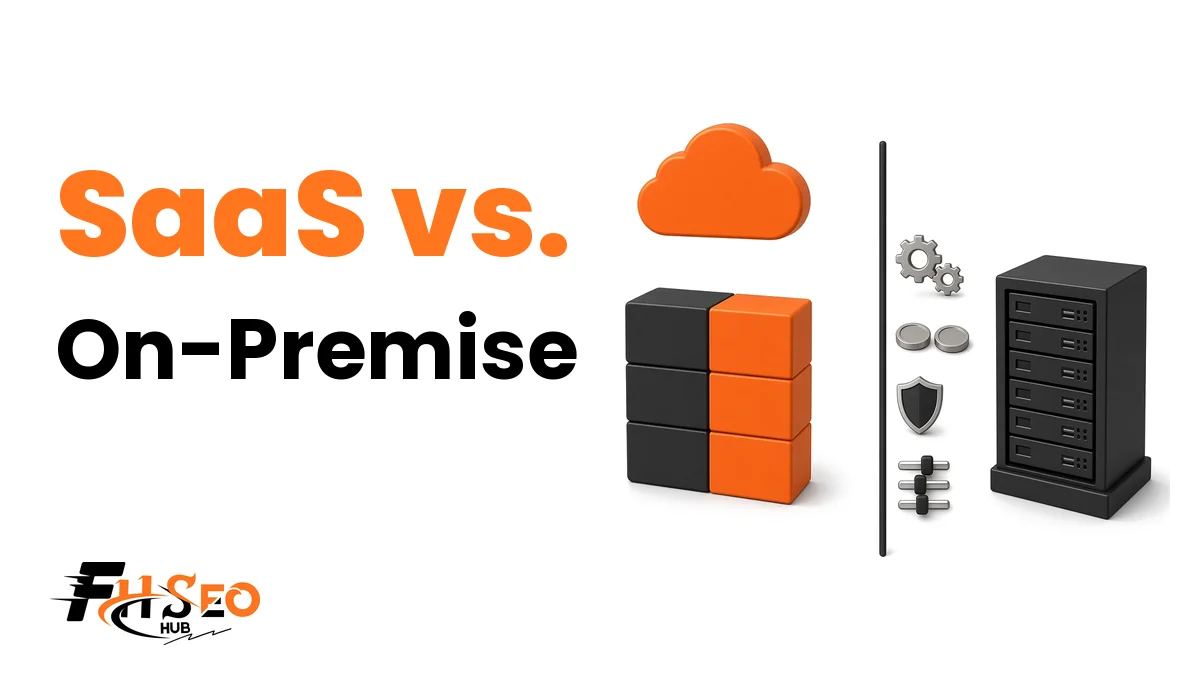
SaaS vs on-premise is a choice between two deployment models: software as a service, which you access through a browser while a vendor hosts it, and on-premise software, which you install and run on hardware you control. Neither model wins on cost or data security for every team.
The usual mistake is picking from a sticker price, or from a vague wish for control, then discovering renewals, patching work, or a painful exit. A monthly subscription can look cheap beside a license quote, and an on-premise bid can look solid until staff time and hardware refresh are added. Compare total cost of ownership over several years, plus the full maintenance burden your staff can carry. The sections below walk through those costs, the security split, and a practical checklist you can run against real quotes.
What SaaS and On-Premise Deployment Models Actually Mean
A deployment model describes where the software runs and who operates the stack beneath it. In software as a service, a SaaS vendor hosts the application and you use it over the internet. In the on-premise model, you install the product in an environment you manage, often an on-premises data center or a room of your own servers.
These are not just billing options. They change who buys the hardware, who applies patches, and how you get your data out later. Cloud computing in general is broader than SaaS. Renting virtual servers or a development platform, or running software in a private cloud that you still operate, is not the same as buying a finished application the vendor runs for you. Keep those other models separate.
Software as a Service Delivered Through a Browser
Software as a service is an application the vendor hosts and delivers, usually through a browser or a companion app. You configure the product and work in it. You do not buy the servers, install the operating system, or schedule the platform patches. Pricing is typically a subscription or a usage fee rather than a one-time purchase of the whole product.
You still have work to do: accounts, permissions, training, and a plan for backups and export. Implementation is often faster because you are not waiting on hardware, but you do depend on an internet connection and on the vendor’s roadmap.
Installed Software You Host and Run Yourself
Installed software in the on-premise model runs on servers and networks you control. You acquire software licenses, provide the hardware, and have your IT staff install, secure, back up, and upgrade the system. Users on the local network can often work without a public internet link. Remote staff usually need a VPN or a similar access path.
That control is the point of the model, and it is also the cost. The servers might sit in your office or in rented colocation space. Either way, you still operate the software. Capacity changes, disaster recovery, and patching stay on your calendar, not the vendor’s.
SaaS vs On-Premise at a Glance
This snapshot compares the two models on the points that usually decide a purchase. Use it as a map, then run the cost and risk sections against your own quotes. The right choice depends on how you work, not on a generic default.
| Factor | SaaS | On-premise software |
|---|---|---|
| Payment | Recurring subscription fees | Upfront licenses, then support |
| Setup | Often days or weeks | Often weeks or months |
| Who hosts it | The SaaS vendor | You or your IT staff |
| Updates | Vendor-managed, often automatic | You plan, test, and patch |
| Customization | Settings and integrations the vendor allows | Deeper changes, with more upkeep |
| Data location | Vendor data centers, sometimes a chosen region | Hardware you control |
| Security | Shared responsibility | You own most layers |
| Access | Browser or app, needs internet | Local network; remote access often needs a VPN |
| Scaling | Add users or capacity quickly | May need hardware, licenses, and time |
| Leaving | Export rules and contract terms | You can keep the install running, but support ends |
Total Cost of Ownership Beyond the Subscription or License
Total cost of ownership is every amount you spend to buy, run, and eventually leave the system, not the first invoice. A fair comparison covers several years and includes hardware, staff time, maintenance, add-ons, renewal increases, and exit or migration costs.
The cheaper option in year one is often not the cheaper option in year five. Until you add those line items, you are comparing prices, not ownership costs. There is no universal winner on cost. Two companies can buy the same product family and reach opposite answers once usage, staff rates, and contract length are filled in.
Upfront Capital Costs Versus Recurring Subscription Fees
On-premise software usually starts with a larger upfront investment: licenses, servers, storage, backup equipment, and installation. Finance teams often treat that spend as CapEx and spread it over the useful life of the assets. Once the system is running, you still pay support or maintenance, plus power, cooling, and eventual hardware refresh.
SaaS usually starts cheaper because you are not buying that stack. You pay subscription fees as OpEx, often per user or by usage. Cash flow is smoother, but the meter keeps running, and the rate can rise at renewal. Unused seats still cost money if you cannot drop them mid-term. Neither payment pattern is automatically cheaper. It depends on how long you keep the system and how fast usage grows.
Hidden Costs: Add-Ons, IT Staff, Upgrades, and Renewals
Subscription and license fees rarely tell the whole story. SaaS quotes may omit storage overages, premium features, paid integrations, extra environments, or higher support tiers. Someone on your team still administers users and reviews access. Training belongs in the same column, even if the quote omits it.
On-premise quotes may omit operating-system or database licenses, installer time, major version upgrades, and the hours your IT staff spend on monitoring and repairs. Renewal terms matter on both sides. A vendor can raise SaaS pricing, and an on-premise product can raise support fees or drop a version you still run. Weak export rights add a form of vendor lock-in that only shows up when you try to leave. Build those scenarios in before you call either option a bargain.
Maintenance Burden: Who Patches, Updates, and Supports the System
The maintenance burden is the ongoing work required to keep the system current, stable, and usable. With SaaS, vendor-managed updates and automatic updates usually cover the application and the platform it runs on. The vendor patches, monitors, and provides support under the service agreement. Your team still tests important releases against your workflows, manages users, and files tickets when something breaks.
With on-premise software, your staff or a hired partner plans patching, applies upgrades, fixes outages, and keeps backups usable. That work is easy to undercount in a proposal and hard to skip later. A delayed patch is not a small housekeeping item. It is an exposure you chose by deferring the job. Major upgrades can also consume weekends, consultants, and regression testing that never appeared in the original license price.
Neither model removes operations work. SaaS reduces the amount of infrastructure labor. It does not remove the need for an owner who understands how your company uses the product, and who can judge whether a vendor change is safe to accept.
Customization, Integration, and Control Over the Stack
On-premise software generally allows deeper customization, including custom code, unusual integrations, and tighter control over infrastructure. That flexibility is valuable when a process is truly distinctive, or when the product has to talk to older systems that a standardized platform cannot reach cleanly. It also creates a maintenance load: custom work must be tested again at every upgrade.
SaaS customization is usually limited to configuration options, approved integrations, and whatever the vendor will build or allow. For many teams, that is enough. For others, a missing workflow becomes a permanent workaround, or a reason to stay on an older installed product. Ask, before you buy, which changes you can make yourself and which ones depend on the vendor’s roadmap.
Control over the stack is the same trade. On-premise gives you more say over versions, timing, and adjacent tools. SaaS gives you less say, and in return you spend less time running the plumbing.
Security, Compliance, and Data Ownership
On-premise is not automatically more secure than SaaS, and SaaS is not secure just because a vendor is well known. Security is a shared responsibility in both cases, though the split changes. With on-premise software, you own the building, the hardware, the network, the operating system, the application, and the way data is stored.
With SaaS, the vendor typically handles the data center, servers, network, and application platform. You still own your data, the devices people use, user accounts, and access management. A stolen password, an over-broad permission, or an unpatched laptop can undo a well-run vendor environment. Compliance and data residency requirements may also push you toward a specific region, a private environment, or hardware you control. That is a requirements question, not a slogan.
Data ownership should be written down. Confirm who holds the rights, how export works, what format you get, whether there is a fee, and how long data remains available after you cancel. If those answers are vague, the contract is not done.
Scalability, Reliability, and Access From Anywhere
SaaS can usually add users or capacity without a hardware order, which makes growth easier to absorb. Reliability still depends on the vendor’s design, the service agreement, and your own internet connection. An outage at the vendor, or a down link at your office, can stop work even if the product itself is fine.
On-premise software can be reliable when you invest in redundant hardware, tested backups, and disaster recovery. Scaling is slower and more capital-heavy. You may buy extra capacity early and watch it sit unused, or you may run short during a spike and wait for equipment.
Remote access is built into most SaaS products. On-premise remote access is possible, but it usually takes extra design, often a VPN, and more upkeep. Choose the model that matches where your people work, not where you wish the servers lived.
SaaS: Best for Faster Deployment and a Lower Operational Burden
SaaS is usually the better fit when you want faster implementation speed, less infrastructure work, and an easier path to remote access. It suits teams that can work inside a standardized platform, accept vendor-managed updates, and would rather pay recurring costs than staff a server room.
You can often start in days or weeks, scale usage without a hardware project, and lean on the vendor for patching and platform support. Many products also include reporting or integrations that would take extra tooling on an installed system. That combination is why multi-office teams, and companies without a large IT bench, often start here.
The trade-offs are just as real. You need a stable internet connection. Customization has limits. Subscription fees continue for as long as you stay, and they can rise. You must still manage access, confirm compliance needs, and plan backups and export, because the vendor’s disaster recovery plan is not the same thing as your own recovery plan. If a unique workflow or a strict data-residency rule will not fit the product, this model will frustrate you no matter how quickly it went live.
On-Premise Software: Best for Control, Customization, and Strict Data Requirements
On-premise software is usually the better fit when you need deep customization, direct control over infrastructure, or strict rules about where data lives and who can reach it. It also fits sites with poor or tightly restricted connectivity, where a browser product would stall every time the link drops.
The advantages show up in control. You decide when to upgrade, how to integrate internal systems, and how backup and disaster recovery are designed. Data can stay on hardware you manage. Local users can keep working if the public internet fails. For some compliance programs, that physical control is the requirement, not a preference.
The costs show up in people and time. You fund the hardware, the licenses, the refresh cycle, and the staff who patch, monitor, and restore the system. Implementation is slower. Scaling takes procurement. If you lack the team to do that work well, the extra control becomes a risk, not an asset. On-premise is a strong choice when the operating plan can fund and staff it. It is a weak choice when “we want control” is the only argument on the table.
A Practical Checklist for Comparing Total Cost of Ownership
A useful total cost of ownership review is a spreadsheet with a time horizon, not a gut feel about monthly fees. Bring your own quotes, a realistic user count, a staff rate for admin and IT hours, the contract length, and the export terms. List what each model costs over several years, then test the result when usage, renewal terms, or staff costs change. The two steps below keep that work honest.
List Every Direct, Indirect, and Exit Cost Over Several Years
Start with the obvious invoices: subscription fees or software licenses, setup, and migration. Then add the costs that sit around the product. For SaaS, include add-ons, extra storage, paid integrations, admin time, and likely renewal increases. For on-premise, include hardware, supporting licenses, installation, power and cooling, IT staff hours, maintenance, upgrades, and hardware refresh.
Add exit costs on both sides: export work, parallel running, data cleanup, contract wind-down, and the project to move elsewhere. If you cannot export usable records, that is a future bill, even if nobody has issued it yet. Use a horizon of several years, long enough to include at least one renewal cycle and, for on-premise, one realistic refresh or major upgrade.
Test the Result When Usage, Renewals, or Staff Costs Change
A single baseline year is a weak guide. Recalculate if you add users, if the vendor raises prices, if IT hours cost more than estimated, or if you have to move. The cheaper model can switch under those changes.
CloudFathom published an illustrative example, not typical pricing, for 25 users over five years. It assumed a $30 monthly SaaS seat with a 7% yearly rise, plus setup and admin time, against an on-premise license, server, installation, IT hours, and power. Year one cost $13,200 for SaaS and $30,900 for on-premise. The five-year totals were $60,756 and $60,500. Change one assumption and the cheaper option flips. Use your own quotes, not this example.
Mistakes That Skew a Cloud Versus Installed Software Decision
The most common error in a cloud software vs on-premise decision is comparing a subscription price with a license price and calling that a cost analysis. It leaves out staff time, add-ons, upgrades, renewals, and the cost of leaving. A close second is treating security as a property of the model. On-premise control does not patch itself, and a SaaS vendor’s data center does not manage your accounts.
Do not treat SaaS as a synonym for cloud. Renting servers or a development platform is not the same as buying a finished application. If you install software on infrastructure you manage, even in a public cloud account, you still own a large share of the maintenance and backup work.
Do not skip backup and export planning because a SaaS brochure mentions disaster recovery. Vendor safeguards against hardware failure do not always undo a deleted record, a compromised account, or a contract that has ended. Waiting until cancellation to learn you cannot get a clean export is how vendor lock-in becomes expensive. Do not treat a generic five-year example, including the 25-user illustration above, as proof that one model will cost less for you. It is an example. Your figures will differ.
Choosing the Deployment Model Your Operating Plan Can Support
SaaS vs on-premise should be decided by the operating plan you can fund and staff, not by a trend or a single year’s invoice. If you need speed, remote access, and less infrastructure work, and the product can meet your requirements, SaaS is a strong fit. If you need customization, tight control, or strict data rules, and you can maintain the stack, on-premise software still earns its keep.
Write down the total cost of ownership, the security split, and the exit path. Then pick the model you can live with after the sales call ends.
FAQs
Not always. SaaS is usually cheaper to start, while on-premise software often costs more in year one and less in later years. Over several years the totals can be close. The cheaper option depends on users, staff time, renewal terms, and how long you keep the system.
Not automatically. On-premise gives you more control, but you are responsible for nearly every layer, including patching. A capable SaaS vendor may secure its platform well, yet you still own your data, accounts, access, and devices. Security follows the work you do.
Yes, you should plan for them. The vendor may protect its infrastructure and offer recovery tools, but deleted records, a compromised account, or a weak export path can still cause loss. Check retention, restore rights, and whether you need a separate backup.
Often, yes, but it is a project, not a toggle. The hard parts are usually historical data, custom features you must rebuild, integrations, and retraining. Test the new system, confirm export quality, and run both in parallel before you switch the old one off.
Cloud is the broader idea of delivering computing over the internet. SaaS is one model: you use finished software the vendor runs. Other models, such as IaaS and PaaS, rent infrastructure or a platform so you can run or build your own applications. Private cloud is not SaaS either.