Instagram Reels vs Stories: Key Differences and When to Use Each

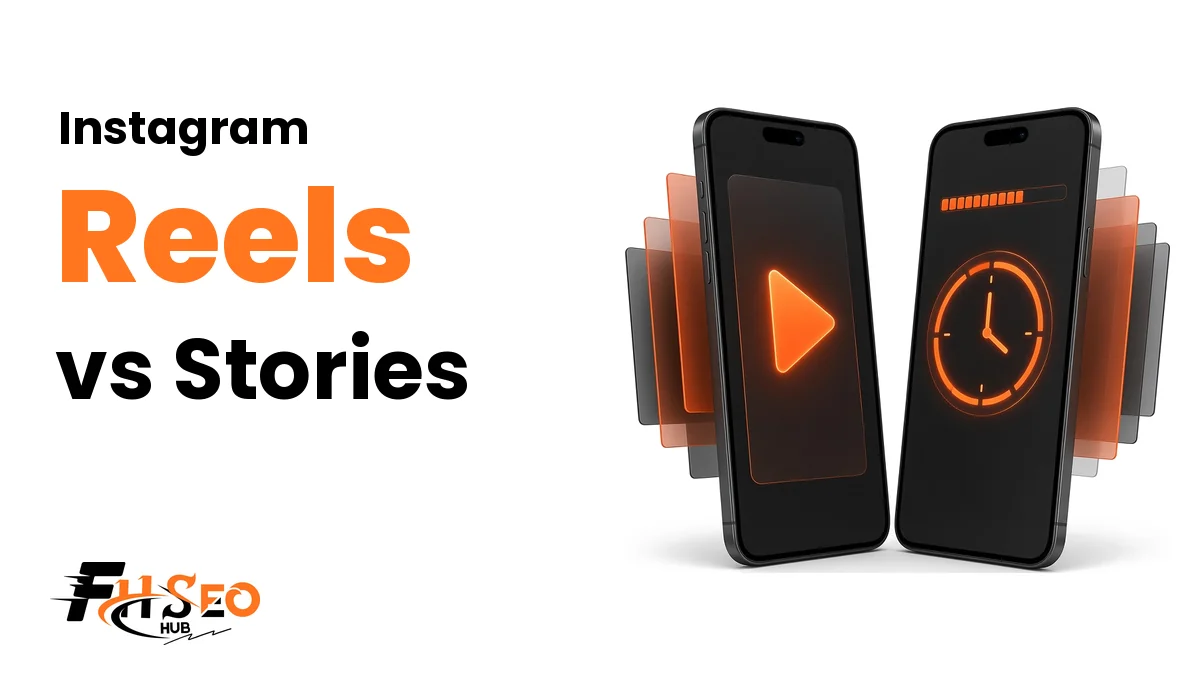
Instagram Reels vs Stories is mainly a choice between a lasting video post and a temporary update. Reels can stay on your profile and introduce you to new viewers. Stories share photos or videos that normally disappear after 24 hours, unless you keep selected updates visible in Highlights.
Use a Reel for something worth watching next week. Use a Story for today’s plans, a question, or a moment with friends. Getting that choice right helps people find useful material later without leaving expired announcements among the videos on your profile.
What a Reel Is and What a Story Is on Instagram
A Reel is a video post, while a Story is a photo or video shared for a limited time. Both support creative additions, but people encounter them differently. A stranger might discover your Reel; a Story often suits someone already following your account or interested in your day.
Neither belongs only to businesses. Recipes, holidays, hobby projects, and family updates can fit either format. Your presentation determines which format makes more sense.
Instagram Reels as Short-Form Video That Stays on Your Profile
Instagram Reels commonly present short-form video as a complete piece: a tutorial, joke, performance, or edited memory. Each has its own post rather than expiring with the day’s updates. Give it enough context that someone can understand it without seeing yesterday’s updates.
Combine clips, text, and audio around one idea. You might show a finished project before explaining the steps. A public Reel can travel beyond your followers, although privacy settings and recommendation eligibility still affect who can find the video.
Instagram Stories as 24-Hour Photo and Video Updates
Instagram Stories let you post a moment without giving it a lasting place among your profile posts. A meal photo, event reminder, or quick opinion can work with little preparation. Viewers can respond when your interaction settings allow it, making the update a starting point for conversation.
Choose your usual Story audience or a Close Friends list before sharing. Temporary does not mean confidential: viewers can remember it or save copies. Leave out information you would regret someone keeping after it expires.
Instagram Reels vs Stories at a Glance
Choose a Reel when a video needs its own home and should make sense to someone new. Choose a Story when the moment or response matters more than keeping a standalone post. These are the normal differences; your account settings and available features still affect the options you see.
| Difference | Reels | Stories |
|---|---|---|
| Content | Video posts | Photos or videos |
| Lifespan | Available until removed or otherwise unavailable | Usually 24 hours |
| Discovery | Public recommendations possible, not guaranteed | Mainly familiar audiences |
| Keeping content | Profile Reels section for later viewing | Highlights for updates |
| Best fit | Standalone explanation or entertainment | Timely updates and conversation |
| Audience control | Account privacy matters | Privacy and Close Friends settings matter |
Lifespan: Profile Visibility Versus the 24-Hour Window
Reels have no standard 24-hour expiry. Stories leave their usual viewing position after that window, while Highlights can keep selected updates visible for longer. A private archive copy does something different: it stores content for you rather than giving other people a continuing place to watch it on your profile.
Decide what a later visitor should find. Lasting collections need regular maintenance, and temporary updates still need careful audience choices before posting.
Where a Reel Lives After Posting
A shared Reel appears in your profile’s Reels section, with access governed by account privacy. Public Reels may appear elsewhere too. Check your profile after publishing: grid presentation and options can vary, and the cover may not appear where you expected.
No routine expiry does not mean forever. You can delete the post, account access can change, or Instagram can remove content. Keep a separate copy of videos you want to preserve instead of relying on a profile as your only storage.
Keeping Stories With Highlights and the Story Archive
Highlights let people revisit selected Stories after the first day. Instagram’s Stories guide says Highlights stay visible until you remove them. The original audience permissions still matter, so saving a restricted Story as a Highlight does not open it to everyone who happens to visit your profile.
The story archive keeps past updates for you when saving is enabled. It is not a public album. Check that setting before assuming a copy will exist later. Use Highlights for collections such as travel tips or repeated answers, and revisit them when details or context change.
Video Length Limits and What Each One Means
Recording capacity, Story clip length, and recommendation eligibility describe separate limits. A video can fit the editor without qualifying for recommendation to new viewers. Before recording, check your current creation options and Instagram’s detailed help. A tutorial or upload service may describe a different limit that applies only to its own particular publishing method.
Reel Recording Length Versus Recommendation Eligibility
Instagram’s detailed recording help allows recording and editing Reels up to 20 minutes. It separately says Reels over 3 minutes will not be recommended to new audiences. The first limit concerns what you can create; the second concerns discovery. They are not two versions of the same maximum length.
The help also warns that recording is not available to everyone. Your account, app, or publishing method may present different options. A scheduling tool’s upload ceiling does not establish a platform-wide rule.
Give an explanation all the time it needs without filling the allowance. If unfamiliar viewers are the goal, plan around the recommendation cutoff. Being shorter still does not guarantee that anyone new will see your Reel.
How Longer Story Videos Split Into Clips
Instagram’s Stories page says a video up to 60 seconds appears as one clip. Longer videos split into multiple clips. Plan those breaks so each part remains understandable when someone taps ahead or starts watching after an earlier part has expired. The sequence matters too.
The same page describes a video trimmer currently available on iOS; other devices may offer different controls. Preview before posting. Avoid cutting a sentence in half or separating a step from the explanation needed to follow it.
Audience and Discoverability for Each Format
Public Reels offer routes to people who do not follow you. Stories generally suit viewers already interested in your updates. That distinction describes discovery opportunities, not a promise that one format will outperform the other. Privacy settings decide who has permission to watch either one.
For a personal account sharing with friends, broader reach may not be useful or personally desirable at all.
How Reels Reach Non-Followers Through Explore and the Reels Tab
Eligible public Reels may appear on the Explore page, in the Reels tab, or among recommended Feed content. Non-followers can find them without visiting your profile first. Give those viewers enough information to understand the subject without knowing your name, interests, or previous posts.
Instagram’s recommendation guidance says eligibility does not guarantee distribution. Posting publicly does not entitle a video to a particular audience size. Start clearly, keep text readable, and explain the idea for a stranger. Discoverability is a possibility, not a reward for selecting Reel instead of Story.
Why Stories Mostly Reach Existing Followers and Close Friends
Existing followers already have a reason to check your updates, so Stories suit moments needing little introduction. A quick question or photo can start a conversation without background. Close Friends offers a smaller chosen audience when the update does not suit everyone following you.
Public Stories are not automatically limited to followers, however. Someone who can access a public account may see its available Story. Use audience settings rather than the format as your privacy control. Check who can watch and reply before revealing a location or including another person without their agreement.
Public Versus Private Account Visibility
A public account permits broader viewing. A private account limits Reel access to approved followers, even when someone forwards the post to a stranger. Stories also depend on privacy settings, hidden-audience choices, and Close Friends selections.
Pick the audience before the format. Switching to public for discovery changes who can access your content. Consider that separately from whether a particular video suits Reels.
Creative Tools, Audio, and Interactive Stickers
Reels put more emphasis on editing a complete video; Stories make it easy to add context or ask for a response to a moment. Both have creative tools, so avoid treating text, music, or interaction as exclusive to either format. Choose additions that help someone understand what you are sharing.
Check your editor before planning features. Accounts and devices may show different controls.
Reel Editing Tools Like Remix, Align, and Original Audio
Instagram’s Reels feature page describes Align for lining up objects between clips, Remix for responding alongside another Reel, and music or original audio for sound. Availability depends on the tools your account has and what source content allows. Use an effect because it helps the idea come across.
A tutorial benefits more from legible steps than a complicated transition. Check permission before reusing someone else’s material, and consider music availability and rights when selecting audio. Add captions so people watching without sound can still follow the spoken information in your video.
Story Stickers for Polls, Questions, Countdowns, and Links
Use a poll sticker for a choice and a question sticker for a fuller response. Add Yours invites people to contribute their own moments. Where countdowns are available, they can suit a dated reminder. Give each frame one purpose instead of stacking unrelated requests.
Instagram’s link-sticker help says an organic Story’s link sticker sends people to the linked website. Test the destination before sharing. Controls and availability vary, so check your account before planning an update around a particular sticker. Keep surrounding wording readable and make the requested action easy to understand.
Engagement Signals and Insights Worth Tracking
Measure the response you wanted rather than chasing the biggest number. A helpful Reel might earn saves, while a personal Story might start a meaningful conversation. If insights are available, read their definitions before comparing formats. Repeated views and additional people are different things, even when both make the total look larger on screen.
Reel Metrics: Watch Time, Shares, Saves, and Follows
Instagram’s Reel insights help lists views, watch time, average watch time, viewers, and follows. Views include plays and replays, whereas the viewers metric counts unique accounts. One person watching again can add activity without adding another person, so those totals answer different questions about the same video.
Look at shares and saves where those interactions appear. A reference tutorial may invite saving; a funny moment may invite sharing. Compare similar subjects and lengths before drawing conclusions. Access and presentation can change, so use the definitions and controls actually available to your account.
Story Metrics: Replies, Sticker Taps, Exit Rate, and Link Clicks
Instagram’s Story insights help lists views, viewers, interactions, accounts engaged, and profile activity. Interactions include actions such as replies, shares, sticker taps, and link taps. A tap records action, not proof of understanding or completing anything on the destination website.
Where reporting includes exits, inspect the point people leave. Calculate an exit rate only with a clear denominator and consistent definitions. Leaving may reflect an interruption rather than dislike. Analytics also differs from the named viewer list: Instagram says you can check who viewed a Story up to 48 hours after posting.
Choosing the Right Format for Your Goal
Choose a Reel for a video people could revisit independently, or a Story for a timely update and conversation with those following along. Both can serve friendships, hobbies, or a business. Work out what the viewer should do next before deciding how much editing or explanation it needs. Start with that purpose, not the format’s reputation.
When a Reel Is the Better Choice
Choose a Reel when the video makes sense beyond today and deserves its own place on your profile. Recipes, guitar lessons, hiking recaps, and project transformations can stand alone without a viewer knowing your schedule. A public Reel may also introduce that work to someone unfamiliar with your account.
Explain the subject early, cut repetition, and choose a useful cover. Check captions and watch the finished video before sharing. A lasting post needs more context than a casual update. That preparation helps people understand the material or return to it later.
When a Story Is the Better Choice
Choose a Story when the moment is temporary or the response is the point. Today’s opening hours, an evening plan, an outfit poll, or behind-the-scenes content may need only a photo and a short explanation. None necessarily needs to become a lasting video post on your profile.
Pick the audience before the stickers. Friends may appreciate an update without any prompt. For a club or small business, one useful question or link is clearer than several competing requests. If people will need the information later, plan a Highlight rather than relying on the original viewing window.
A Combined Weekly Workflow Using Both Formats
Make one durable video, introduce it through a Story, then use later updates to answer questions. This is an example of combining formats, not a required schedule or a formula for reach. Adapt it to your content and the time you have available.
An Instagram account does not need daily posts to justify its existence. Useful moments matter more than filling calendar slots.
Plan Evergreen Reels for Reach
Pick a subject someone could understand next month: fixing a puncture, for example, or making a favorite lunch. Record the essential steps without mixing today’s plans into the main explanation.
For public discovery, give the opening enough context for someone new and remember recommendation eligibility. Evergreen describes usefulness beyond the immediate moment, not a guarantee of continuing views. Revisit old instructions when circumstances change so a lasting post does not keep directing people toward information you know is wrong.
Share Each New Reel to Your Story
When sharing is available, open the Reel’s sharing options and select the Story option. Add a short reason for followers to watch, then preview the result. The Story directs people toward the Reel; it does not create another permanent video post.
For other people’s material, public visibility and resharing permissions matter. A missing option does not mean you missed a step: the feature is not available to every account.
Use Stories for Daily Updates and Feedback
Share what actually changes: progress, reminders, questions, or a brief look behind the scenes. A poll can help choose a topic. Replies may show which part of a Reel needs another explanation.
Answer with a short update or use the feedback in a future video. Respect personal information and other people’s privacy throughout. Let the workflow help you communicate rather than pressure you into inventing a reason to post every day.
Save Key Stories to Highlights
Keep event details, travel notes, or repeated answers in clearly named Highlights. Check that audience permissions fit the material, remove expired notices, and replace instructions that no longer apply.
Treat Highlights as a selected collection rather than a storage space for everything. A visitor should find the relevant answer without sitting through unrelated moments from earlier weeks.
Mistakes That Undercut Reels and Stories
Treating the formats as interchangeable can make posts harder to understand or find. A Reel that relies on yesterday’s Story leaves newcomers missing context. A detailed explanation shared only as a temporary update may disappear before someone needs it. Match the lifespan to how long the information should remain accessible.
Watch for these mistakes too:
- Confusing the 3-minute recommendation boundary with the maximum recording length in Instagram’s detailed help.
- Expecting guaranteed reach from a public account or thinking resharing makes private content public.
- Covering important video details with text and stickers.
- Leaving expired plans in Highlights as though they were current.
- Comparing Reel views with Story viewers without checking what the numbers count.
Preview the destination format before sharing. Cropped text, abrupt clip breaks, and missing context are easier to fix before viewers start asking what happened to the part they needed to see.
Matching Each Instagram Format to Its Job
Instagram Reels vs Stories is a decision about audience, lifespan, and what you want to share. Give lasting videos enough context to stand alone, and make temporary updates easy to follow. Use Highlights when selected Stories need a longer home on your profile. Before posting, decide whether someone should discover the content later, respond today, or do both through a combination of formats.
FAQs
Yes, people who do not follow a public account may view its Story, subject to audience settings. Temporary content is not automatically restricted to followers. Private accounts and Close Friends sharing limit access. Check those choices before assuming that only familiar viewers can see an update you are currently sharing.
Yes. Instagram's detailed help allows recording and editing up to 20 minutes, subject to availability. It separately says Reels over 3 minutes will not be recommended to new audiences. The discovery cutoff differs from creation capacity. Check your own editor because account, app, and publishing options may show different limits.
Link options depend on the account, feature, and publishing context. Test the route you want viewers to use rather than assuming a written URL becomes tappable. An organic Story's link sticker is a documented website-link option. Check that it is available and tell people clearly where the destination leads first.
Yes, when the sharing option is available. Open the Reel's share menu and look for the Story option. Resharing someone else's post depends on public visibility and permissions. Add context and preview the result, rather than assuming that every account can share every Reel to Stories.