Social Media Content Calendar: How to Plan Your Posting Schedule

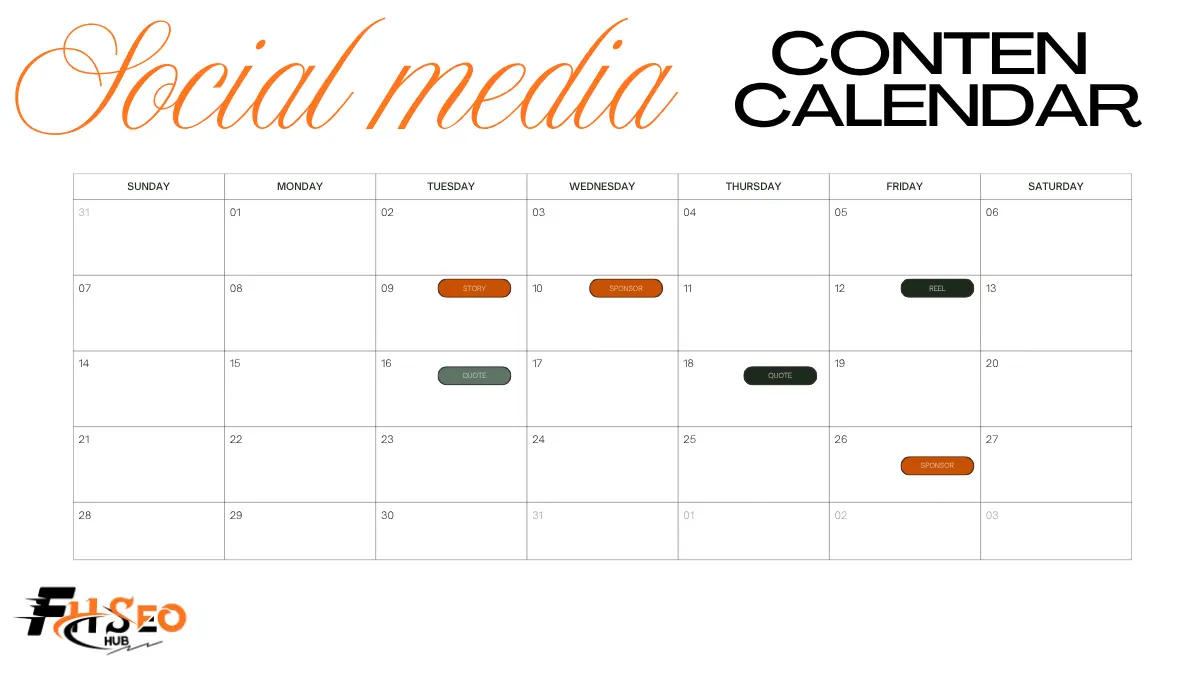
A social media content calendar is a shared plan that shows what you’ll post, on which platform, when, and who owns each piece. It turns your social media strategy into a posting schedule your team can follow, review, and measure, instead of deciding what to publish each morning.
Without one, posting gets rushed. Campaigns collide, important dates slip by, and approvals happen in scattered messages an hour before publishing. A calendar fixes that by putting every post, asset, and deadline in one place weeks ahead, so the team can plan, review, and publish with less stress.
What a Social Media Content Calendar Does for Your Strategy
A calendar connects daily posts to bigger goals. It shows gaps, overlaps, and workload before they become problems, and it gives everyone, from writers to approvers, one source of truth. That matters more as more people, platforms, and campaigns get involved.
How It Fits Into Your Social Media Content Strategy
Your social media strategy defines goals, audiences, and content pillars. The calendar is where that strategy becomes specific posts with dates. Each entry should trace back to a pillar and a goal, such as brand awareness or lead generation. If a post can’t, question whether it belongs. Reviewing the calendar monthly also shows whether your actual mix of content matches the strategy you agreed on. If one pillar keeps getting skipped, either resource it properly or drop it from the strategy.
Benefits: Consistency, Brand Reputation, and Saved Time
A planned posting schedule keeps you consistent, which helps audiences know when to expect you. Planning ahead also protects brand reputation, because posts get reviewed for tone, accuracy, and brand voice before they go live. Batching content creation and scheduling saves time compared with writing posts one by one each day. It also leaves room to react to news without dropping planned work. Over time, the calendar also becomes a record of what you published, which makes reporting and planning next year much easier.
What to Include: Core Fields Every Calendar Needs
Every calendar needs a few core fields, whatever tool you use. At minimum, track the publish date and time, platform, content type, content pillar, campaign, owner, and status, such as draft, in review, approved, or scheduled. Add a field for the goal or KPI each post supports. For teams with approvals, include the approver and approval date. Keep the field list short enough that people fill it in every time.
Captions, Hashtags, Links, and Assets
Store the final caption and hashtags in the calendar so reviewers see exactly what will publish. Add the destination link, ideally with UTM parameters, so you can track clicks. Link each post to its image or video in a shared asset library rather than pasting files into chat. Include alt text and a clear call-to-action for each post. Keeping everything in one row means a post can be scheduled without hunting for missing pieces.
Color-Coding Content Pillars at a Glance
Assign a color to each content pillar, such as education, product, community, and culture. A quick look at the month then shows whether one pillar dominates. You can also color-code by platform or by status. Pick one scheme and stick with it, so the team reads the calendar the same way. Add a short legend at the top for new team members.
How to Build a Social Media Content Calendar in 7 Steps
Follow these steps in order. Each one feeds the next.
Step 1: Set Goals and KPIs
Start with what social should achieve for the business. Common goals include brand awareness, engagement, website traffic, and leads. Pick one or two KPIs for each goal, such as reach, engagement rate, link clicks, or sign-ups. Write them at the top of the calendar so every planned post has a clear and measurable purpose.
Step 2: Run a Social Media Audit
Review your current accounts before planning new content. Note which platforms bring results, which posts performed best, and which content types fell flat. Check profile details, bios, and links for accuracy. Look at competitors too. The audit tells you what to keep, what to drop, and where to focus effort over the next quarter.
Step 3: Use Social Listening to Find Topics
Social listening tracks what people say about your brand, competitors, and industry. Use a listening tool or manual searches to spot recurring questions, complaints, and trends. Turn those into post ideas. Topics that come from your audience’s own words tend to earn more engagement than ideas planned in isolation. Log the best ideas in a backlog tab.
Step 4: Choose Platforms, Content Types, and Posting Cadence
Focus on the social media platforms where your audience is active and your team can keep up. Match content types to each platform: short video for TikTok and Reels, carousels for Instagram and LinkedIn, threads for X or Threads. Then set a posting cadence you can sustain for months, not just weeks. A steady rhythm beats bursts followed by long silence.
Step 5: Map Holidays, Awareness Days, and Product Launches
Add fixed dates first: public holidays, relevant awareness days, industry events, and product launches. Mark them at least a quarter ahead so content can be prepared in time. Only join awareness days that genuinely relate to your brand. Then fill the remaining slots with evergreen posts and content from your pillars, keeping a balance across them each week.
Step 6: Set Approval Workflows and Governance
Decide who drafts, who reviews, and who gives final approval, then document it. Set deadlines for each stage so posts don’t stall. Governance should also cover brand voice rules, legal or compliance checks, and what to do in a crisis, including how to pause scheduled posts. Clear workflows support cross-functional collaboration with product, legal, and leadership. Store the workflow in the calendar file so everyone can find it.
Step 7: Track Engagement in Analytics and Adjust
Review analytics in each platform and in your scheduling tool on a regular cycle, such as weekly for quick checks and monthly for deeper review. Compare results against the KPIs from step 1. Note which formats, topics, and times drive engagement, then adjust the next month’s calendar. Treat the calendar as a living document, not a fixed plan, and share a short summary with stakeholders.
Platform-Specific Planning for Instagram, LinkedIn, TikTok, and More
Each platform rewards different formats and habits, so plan them separately inside the same calendar. Instagram favors Reels, carousels, and Stories. LinkedIn suits professional insights, document posts, and short video. TikTok runs on short, trend-aware video. YouTube supports long-form and Shorts. Pinterest works well for evergreen visual content, while Facebook and Threads support conversation and community posts. Add a platform column so you can filter the calendar and see each channel’s plan on its own.
Finding the Best Time to Post per Platform
Generic “best time to post” charts are a starting point, not an answer. Your own audience data is more reliable. Check the native analytics on each platform, such as Instagram Insights and LinkedIn page analytics, to see when your followers are active. Many scheduling tools also suggest times based on past performance. Test a few time slots for several weeks, compare results, and update the calendar. Remember that timing matters less than content quality, so don’t overthink small differences.
Posting Frequency Without Burning Out Your Team
Posting frequency should match your team’s real capacity. A schedule you can keep is worth more than an ambitious one you abandon after a month. Start with fewer posts per platform, batch creation in set blocks, and repurpose strong content. Increase frequency only when quality holds and the team has room. Watch for warning signs such as missed deadlines, rushed captions, and skipped reviews. Those mean the schedule is too heavy.
Social Media Content Marketing Examples to Fill Your Calendar
Filling a calendar is easier with a mix of proven formats. Combine evergreen posts, timely content, and formats native to each platform, so your feed doesn’t feel repetitive. Aim for a rough ratio across pillars and formats, then review it monthly to see which mix earns the most engagement.
Evergreen Content and Content Repurposing
Evergreen content stays relevant for months. Think how-to tips, FAQs, customer stories, and myth-busting posts. Keep a backlog to fill quiet weeks. Content repurposing extends each idea further: turn a blog post into a carousel, a webinar into short clips, and a customer review into a quote graphic. One strong piece can supply several weeks of posts. Tag repurposed items in the calendar so you can see which originals keep paying off.
Carousels, Stories, and Trend-Based Posts
Carousels work for step-by-step guides and lists. Stories suit behind-the-scenes moments, polls, and quick updates. Trend-based posts, such as popular audio or memes, can lift reach, but only join trends that fit your brand voice. Leave a few open slots each week for them. Set a fast approval path for trend posts, since trends fade quickly.
Social Scheduling Tools and Templates Compared
Your tool choice depends on team size, budget, and how many approvals you need. Small teams often start with a spreadsheet template. Growing teams move to social scheduling tools with bulk scheduling, approvals, and analytics. Whichever you choose, keep the same core fields so moving between tools later is painless.
Google Sheets, Notion, and Asana Templates
A Google Sheets content calendar template is free, flexible, and easy to share. Notion and Airtable add database views, filters, and linked asset pages. Asana suits teams that already manage projects there, with task assignments and due dates for each post. These tools handle planning well, but you’ll still need to publish manually or connect a scheduler. Templates are a good test of your process before you pay for software.
Sprout Social, Hootsuite, Buffer, and Planable for Bulk Scheduling
Hootsuite’s Bulk Composer schedules up to 350 posts at once from a CSV file. Sprout Social offers CSV bulk import and can assign an approval workflow per post. Buffer is simple and quick to learn, with a limited free plan and CSV upload. Planable is built around visual previews and multi-step approvals. Later, Loomly, CoSchedule, Agorapulse, Sendible, and HubSpot are other options. Check current plans and free trials, since features and limits change often.
Social Media Content for Marketing Agencies Managing Clients
Agencies juggle several brands, each with its own voice, audience, and approval process. Keep a separate calendar or workspace per client to avoid posting to the wrong account. Restrict publishing permissions so only the right people can send posts live for each brand. Use shared naming conventions, a brand guide for each client, and a recurring monthly planning call. Many agencies also bundle SEO with social, and if you resell link building, our white-label link building service fits that model.
Client Approvals Across Multiple Brands
Client approvals slow agencies down more than content creation does. Use a tool where clients can review posts as they’ll appear, comment in line, and approve without needing a full account. Set clear approval deadlines in your contract, such as a set number of business days. Record every approval in the calendar so there’s no confusion later. Tools like Planable let clients review without a full paid seat, which keeps costs down.
Calendar Mistakes That Derail Your Posting Schedule
Even a well-built calendar fails if planning habits are weak. Two mistakes come up very often, and both are simple to prevent with a quick weekly review of the calendar by whoever owns the posting schedule.
Overloading Campaigns on the Same Platform
Running several campaigns on one platform in the same week splits attention and confuses followers. Space campaigns out, or spread them across platforms. Use color-coding to spot clusters before they go live, and keep room for everyday content. If two launches must overlap, stagger posts by a day or two.
Ignoring Time Zones and Region-Specific Dates
If your audience spans regions, schedule in their time zone, not yours. Confirm which time zone your scheduling tool uses. Holidays and awareness days also differ by country, so check regional calendars before planning global posts. Add a region field so local teams can review dates that affect them.
Put Your First Month on the Calendar
Your social media content calendar doesn’t need to be perfect to work. Pick a template, add core fields, map next month’s key dates, and fill two weeks of posts. Review results at the end of the month, then plan the next one with what you learned.
FAQs
There's no single right number. Post as often as you can maintain quality, which differs by platform and team size. Start with a sustainable schedule, track engagement, and adjust based on your own analytics data.
It depends on your needs. Small teams often start with Google Sheets or Notion. Teams needing scheduling and approvals use tools like Hootsuite, Sprout Social, Buffer, or Planable. Test before you commit.
Create a spreadsheet with columns for date, time, platform, content type, pillar, caption, hashtags, link, asset, owner, and status. Add color-coding for pillars, then duplicate the tab for each new month.
Check which platforms it supports, user and approval limits, bulk scheduling, analytics, and pricing per user or workspace. Test with a free trial using your real workflow before committing to a plan.