
What Is Canonicalization? A Guide to Canonical Tags and Duplicate Content

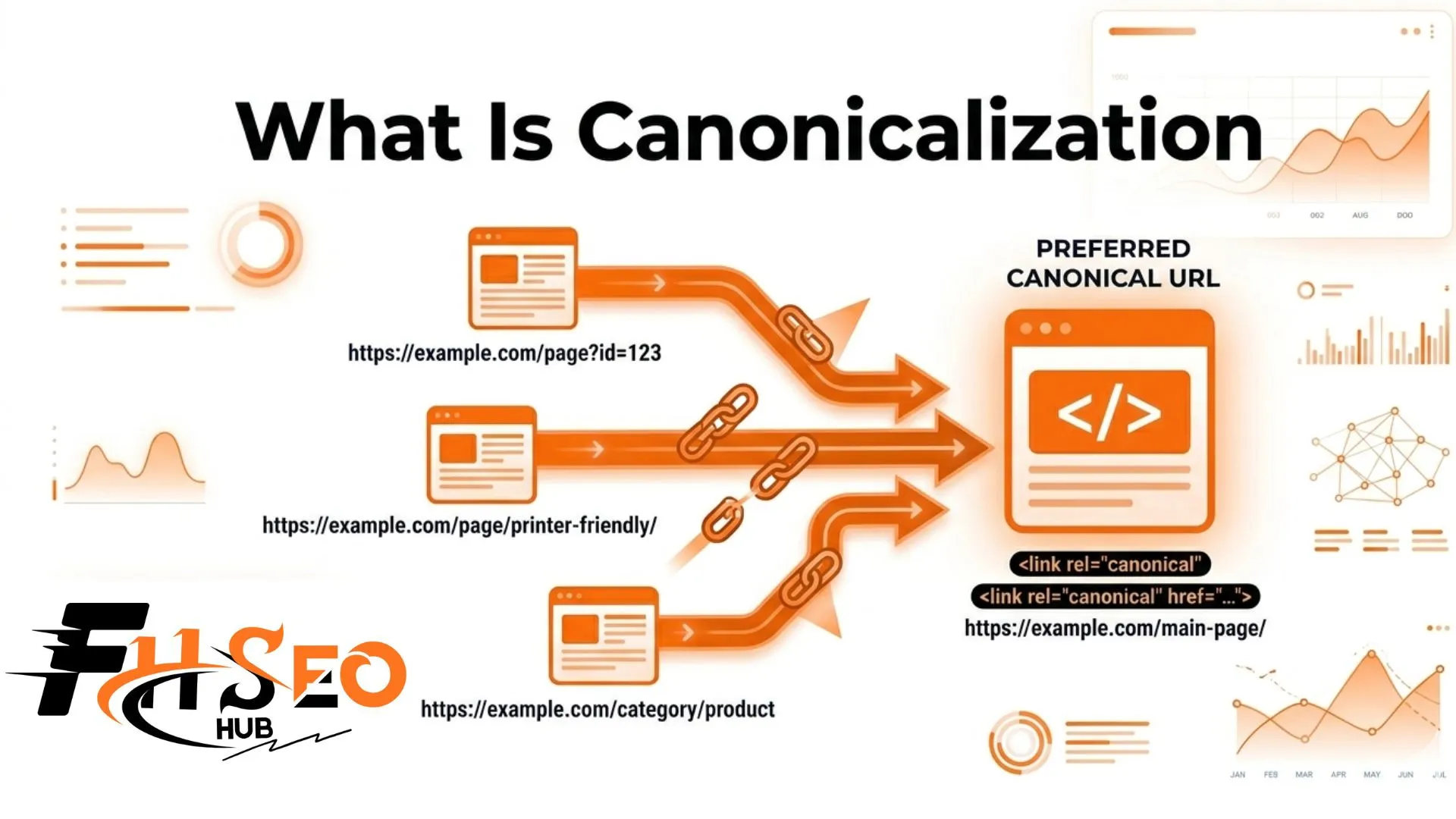
Canonicalization is the process of selecting a preferred URL as the main copy of a webpage when multiple URLs serve the same or very similar content. You declare it using the <link rel=”canonical”> tag in your HTML head. It also guides Google AI Overviews and generative search engines toward the authoritative version of your page for AI-generated answers. Without it, search engines split ranking signals across every duplicate URL your site creates.
What is canonicalization in SEO?
Canonicalization (abbreviated as C14N) is the process of consolidating duplicate or near-duplicate pages by declaring one canonical URL as the definitive version. The <link rel=”canonical” href=”…”> tag placed in the HTML head section tells search engine crawlers exactly which URL to index and rank. Everything else pointing to the same content is a duplicate.
What does C14N mean?
C14N is shorthand for canonicalization, where 14 represents the fourteen letters between the first C and the final N. The term comes from computer science and web development, where normalization and standardization describe reducing multiple representations to a single agreed-upon form. In SEO, C14N means choosing one URL and declaring that choice clearly to search engines.
What causes duplicate content on a website?
Duplicate content forms automatically on most modern websites, often without any deliberate action. Search engines treat each URL as a separate page even when the content is identical across all of them.
| Cause | Example Duplicate URLs | Fix |
| URL parameters | /shoes vs /shoes?color=red | Canonical on parameter URL pointing to clean version |
| HTTP vs HTTPS | http://site.com vs https://site.com | 301 redirect HTTP to HTTPS plus canonical |
| www vs non-www | www.site.com vs site.com | Choose one version, 301 plus canonical |
| Trailing slash | /page vs /page/ | Standardize site-wide plus canonical |
| UTM tracking links | /page?utm_source=email | Canonical on UTM URL pointing to clean URL |
| Product variants | /shoes?size=10 vs /shoes | Canonical variants to master product page |
| Paginated content | /blog vs /blog/page/2/ | Self-referencing canonical on each paginated page |
| Content syndication | Third-party site republishing your post | Cross-domain canonical pointing to original |
E-commerce sites face this most acutely. A single product page with four color options can generate four separate parameter-based URLs, each showing the same description and images. Headless CMS platforms and API-driven content systems generate even more URL variants automatically while you sleep.
How does a canonical tag work?
A canonical tag sits in the HTML head section of a duplicate page and points to the preferred URL. Always use an absolute URL rather than a relative path in the href attribute. Search engine crawlers read this tag and consolidate link equity, PageRank, and ranking signals onto the canonical URL instead of distributing them across every version.
A self-referencing canonical on a page simply points to that page itself. Every indexable page should carry one, not just duplicates. It prevents Google from accidentally treating your page as a duplicate of another URL on your site.
Is a canonical tag a directive or just a hint to Google?
A canonical tag is a hint, not a directive. Google reads it as a strong suggestion but can override your user-declared canonical when other signals disagree. If your internal links, XML sitemap entries and 301 redirects all point to a different URL than your canonical tag, Google will select its own version. That is called the Google-selected canonical and it may differ significantly from what you declared.
Why does this process matter for SEO rankings?
Without canonical tags, Google splits link equity, crawl budget and ranking signals across every duplicate URL rather than concentrating them on the best version. Each duplicate absorbs only a fraction of the authority. None gets strong enough to rank competitively.
Three core benefits explain why this matters:
How does signal alignment determine whether Google follows your canonical?
Google follows canonical tags most reliably when four signals all agree simultaneously: your canonical tag pointing to the preferred URL, internal links across your site linking to that same version, XML sitemap entries listing only canonical URLs and 301 redirects sending any variant URLs to the canonical destination. When these four signals conflict, Google evaluates the overall pattern and picks its own winner. Aligning all four signals is the most reliable way to get Google to respect your choice.
What are canonicalization methods?
| Method | How It Works | Best Use Case | Passes Link Equity? |
| rel=canonical tag | HTML hint in page head | Duplicate content you still need accessible | Yes (consolidates signals) |
| 301 redirect | Permanently moves users and bots | Old URLs you can permanently retire | Yes (strongest signal) |
| XML sitemap | Lists only preferred canonical URLs | Large sites, crawl prioritization | Indirect signal |
| Internal links | Link consistently to the canonical version | Reinforces canonical choice site-wide | Indirect signal |
| hreflang | Declares regional or language alternates | Multilingual or multi-region sites | No (language signal only) |
| noindex | Removes page from index entirely | Pages not worth indexing at all | No |
Never use noindex and canonical together on the same page. A canonical targets the authoritative version you want ranked. A noindex tells Google to remove the page entirely. Combining them sends conflicting instructions that Google cannot resolve.
What is the difference between a canonical tag and a 301 redirect?
| Factor | Canonical Tag | 301 Redirect |
| User experience | Both URLs remain accessible to visitors | Users sent directly to one URL only |
| Signal strength | Hint (Google can override) | Strong directive Google consistently follows |
| Link equity | Consolidates to canonical URL | Passes nearly full link equity |
| Page accessibility | Duplicate pages stay live | Source URL becomes inaccessible |
| Best use case | Near-duplicate you want to keep live | Duplicate you can permanently retire |
| GEO and AI impact | Guides generative engines to authoritative page | Both URLs effectively merge into one |
The practical decision rule is straightforward. If a user should never see or access the duplicate URL again, use a 301 redirect. If the duplicate URL needs to stay live for any reason such as tracking links, CMS structure, or device variants, use a canonical tag. The 301 redirect sends the stronger signal. The canonical tag offers the more flexible approach.
How do canonical tags support AI search in 2026?
In 2026, canonical tags carry a second function that did not exist three years ago: they guide generative search engines directly.
Google AI Overviews, ChatGPT and Perplexity ingest massive volumes of URLs when assembling AI-generated answers. Canonical signals give these systems a clear reference point, identifying the authoritative version of your page to surface and cite. Without consistent canonical declarations, an AI search system can fragment your brand authority by surfacing different duplicate versions of the same content depending on which URL it happens to ingest first.
As headless CMS platforms and API-driven content systems generate more dynamic URLs, clean canonical signals become the structural backbone that keeps AI citation consistent, trustworthy and attributed to the correct page.
How do you implement canonical tags on major CMS platforms?
- WordPress with Yoast SEO: Open any page, go to the Yoast SEO panel, click the Advanced tab, and enter the canonical URL. Yoast adds self-referencing canonicals automatically when you leave the field blank.
- WordPress with Rank Math: Open any page, go to the Rank Math SEO box, open the Advanced tab, and enter the preferred canonical URL. Rank Math also adds self-referencing canonicals by default.
- Wix: Canonical tags are added automatically site-wide. For individual page overrides, go to Advanced SEO under each page’s settings and modify the tag there.
- Custom HTML sites: Place <link rel=”canonical” href=”https://yourdomain.com/preferred-page”> directly in the <head> section of each page.
How do you audit and fix canonical tag errors?
Open Google Search Console and go to the Pages report. Look for the “Duplicate without user-selected canonical” error. That error tells you Google found duplicate pages but found no canonical declaration among them. Fix those first.
Then use Screaming Frog SEO Spider or Sitebulb to crawl your entire site and check:
What Google Search Console URL Inspection Tool show about canonicals?
The URL Inspection Tool shows two fields for each page: User-declared canonical and Google-selected canonical. If these differ, Google is overriding your choice. That means your four signals are not aligned. Fix the conflict by updating your internal links, XML sitemap entries, and any 301 redirects to consistently point to the same preferred URL as your canonical tag.
What are the most common mistakes with canonical tags to avoid?
These errors appear on sites of every size:
The core takeaway
Canonicalization is the foundation of a clean, well-indexed site. Google splits ranking power across every duplicate URL your site creates without it. With it, all signals consolidate where they belong and your canonical pages compete at full strength. Start with Google Search Console to find your “Duplicate without user-selected canonical” errors, then align your canonical tags, internal links, sitemap entries and 301 redirects until all four signals consistently agree.


