
How Keywords Everywhere Work? A Guide for Beginners to Check Keywords Volume

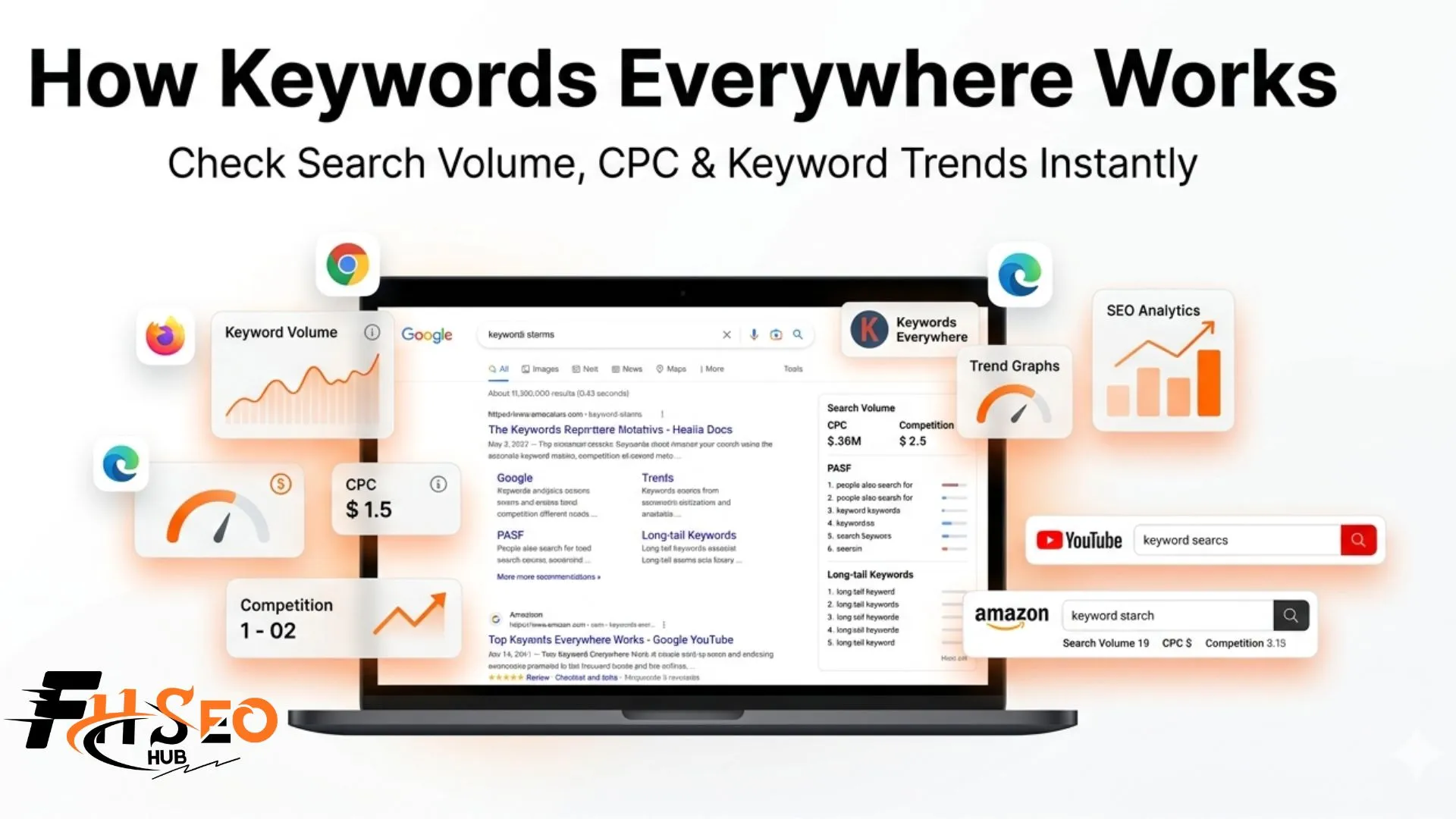
Keywords Everywhere works by installing a browser extension on Chrome, Firefox, or Microsoft Edge that overlays keyword data directly onto Google, YouTube, Amazon and 18+ other platforms as you browse. It shows monthly search volume, CPC and competition data with twelve month trend on the page without requiring you to switch to a separate tool.
What is Keywords Everywhere and what does it do?
Keywords Everywhere is a browser extension for Chrome, Firefox and Microsoft Edge that embeds live keyword metrics directly into your search experience. It supports Google Search, YouTube, Amazon, eBay, Etsy, Google Trends, Google Search Console, Google Analytics, Bing, DuckDuckGo, Pinterest and ChatGPT among others. You see keyword data where you are already searching, not in a separate app.
The key difference from traditional tools like Ahrefs or SEMrush is context. When you search Google, Keywords Everywhere injects search volume, CPC, competition score and related keyword widgets directly onto that results page. You evaluate keyword potential in under ten seconds without copy-pasting anything into a separate platform.
It uses a credit-based pricing model, where each keyword the extension displays consumes one credit from your account. Annual subscription plans start at approximately $27 per year for 100,000 credits, which makes it one of the most affordable keyword research tools available for any budget.
Is Keywords Everywhere free or paid in 2026?
Keywords Everywhere became a fully paid tool as of June 2023. The only features remaining free are 200+ ChatGPT prompt templates and the Instagram hashtag generator. All keyword data including monthly search volume, CPC, and competition requires purchasing credits. The Bronze annual plan provides 100,000 credits for approximately $27 per year, making it accessible for beginners and budget-conscious marketers.
How does Keywords Everywhere work technically?
The extension connects to Google Keyword Planner data through an API key you generate during account setup. Once active, it reads the page you are viewing and injects keyword metrics directly into the browser interface. Every keyword the extension displays on screen consumes one credit, regardless of whether that keyword has any search volume.
The most important detail most new users miss: a single Google search can consume far more than one credit. When you search a term, the extension also populates the PASF widget, related keywords widget and long-tail keywords widget simultaneously. Here is exactly how credits accumulate on one search:
| Platform or Widget | Credits Used | Notes |
| Main search query (Google) | 1 credit | Always deducted first |
| Related keywords widget | 1 per keyword shown | Typically 5-10 keywords per search |
| PASF widget (People Also Search For) | 1 per keyword shown | Typically 15-25 keywords per search |
| Long-tail keywords widget | 1 per keyword shown | Typically 20-30 keywords per search |
| YouTube or Amazon search | 1 credit | One keyword per search bar entry |
| Google Search Console page | 1 per keyword visible | 500 visible keywords = 500 credits |
| Search suggestions (autocomplete) | 1 per suggestion shown | Only on supported sites |
A typical Google search surfacing 8 related keywords, 20 PASF keywords, and 25 long-tail keywords costs 1 + 8 + 20 + 25 = 54 credits for that single query. Knowing this upfront helps you plan your research sessions and choose the right subscription tier.
What is the difference between the two data source settings?
During setup you choose between Google Keyword Planner data alone or Google Keyword Planner plus clickstream data. The combined option supplements standard GKP figures with real browsing behavior signals, which adds nuance for some keywords. In practice, the difference is minor for most research. Start with GKP + clickstream data and switch back if results feel inconsistent with your expectations.
How do you install and set up Keywords Everywhere step by step?
Setting up the extension takes under five minutes. The steps are:
- Visit keywordseverywhere.com and click the download link for your browser
- This opens the Chrome Web Store, Firefox Add-Ons store, or Microsoft Edge Add-Ons store; click to add the extension
- After installing, click the K icon in your browser toolbar and select “Get API Key”
- Enter your email address and receive the API key by email
- Click the K icon again, open Settings, paste the API key into the validation box, and click Validate
- Choose your data source: GKP alone or GKP + clickstream data
- Adjust the Supported Websites settings to disable platforms you do not use
- Purchase a subscription or credit package to activate full keyword data
That last step in point seven matters for credit conservation. If you only research Google-related SEO, unchecking YouTube, Amazon, eBay, Etsy and social platforms prevents the extension from charging credits when you casually browse those sites.
What data does Keywords Everywhere show on Google search results?
Directly below the search bar you see monthly search volume, CPC, competition score, and a 12-month trend bar for your query. These figures give you an instant snapshot of keyword demand and advertiser competition before you read a single result.
Scrolling down reveals the widget layer. Here is the full breakdown of what appears:
| SERP Data Type | What It Shows | Credits Used |
| Monthly search volume | Average monthly searches over 12 months | 1 per main query |
| CPC (cost per click) | Advertiser bid price in Google Ads | Included |
| Competition score (0-1) | Advertiser density in Google Ads | Included |
| 12-month trend bar | Visual traffic trend at a glance | Included |
| PASF widget | People Also Search For keywords with volume and CPC | 1 per keyword shown |
| Related keywords | Semantically related terms with volume and CPC | 1 per keyword shown |
| Long-tail keywords | Long-tail variations with full metrics | 1 per keyword shown |
| Trending keywords | Google Trends data with 30-day percentage increase | Included |
| Website traffic metrics | Traffic estimate and keyword count per ranking page | Included |
| Keyword Finder tool | Autocomplete-based keyword suggestions | Variable |
At the top of every SERP, the Keyword Finder button uses Google’s Autocomplete API to surface thousands of additional keyword ideas based on your search. This functions similarly to a lightweight version of dedicated keyword research tools, directly inside Google.
Which platforms does Keywords Everywhere support?
| Platform | Data Available |
| Google Search | Volume, CPC, competition, PASF, related, long-tail, trending |
| YouTube | Video keyword search volume and trend data from 2008 |
| Amazon | Product keyword volume and marketplace trends |
| Google Search Console | Volume and CPC for keywords your site already ranks for |
| Google Trends | Enhanced trend visualization with additional context |
| eBay / Etsy | Product keyword volume and demand signals |
| Bing / DuckDuckGo | Basic keyword volume and CPC |
| Trending pins and content idea data | |
| ChatGPT | 200+ SEO, copywriting, and content marketing prompt templates |
The YouTube integration is particularly underused and valuable. When you type a keyword into YouTube’s search bar, the extension shows monthly search volume for that term directly beneath the search box for one credit per query. Historical trend data goes back to 2008 for YouTube keywords, making it one of the fastest tools for video content demand validation available at any price point.
How much Keywords Everywhere cost in 2026?
| Plan | Credits Per Year | Approx. Annual Cost | Best For |
| Pay-as-you-go | 100,000 credits | $10 per package | Light or one-time users |
| Bronze (annual) | 100,000 credits | ~$27 per year | Beginners, small blogs |
| Silver (annual) | 400,000 credits | ~$54 per year | Regular bloggers, freelancers |
| Gold (annual) | 1,000,000 credits | ~$108 per year | Agencies, heavy daily users |
Credits are valid for one year from the date of purchase. Older credits deplete first before newer ones are used. When credits run out, the extension stops showing volume, CPC and competition data but continues displaying PASF and related keyword suggestions without metrics until you purchase more.
How does it compare to Ahrefs and SEMrush?
| Factor | Keywords Everywhere | Ahrefs | SEMrush |
| Starting cost | ~$27 per year | $129 per month | $99 per month |
| In-SERP keyword overlay | Yes (native) | No | No |
| Volume accuracy | Good, inflated 20-30% | Most accurate | Accurate |
| Rank tracking | No | Yes | Yes |
| Backlink analysis | Moz metrics only | Full index | Full index |
| Supported platforms | 18+ including YouTube, Amazon | Limited | Limited |
| Keyword difficulty | Available but understated | Most reliable | Reliable |
| Best for | Fast contextual research | Deep SEO analysis | Full marketing suite |
Keywords Everywhere and Ahrefs serve different purposes. Keywords Everywhere delivers fast in-context SERP research for a fraction of the price. Ahrefs delivers precise keyword difficulty, backlink analysis, and rank tracking that Keywords Everywhere simply does not offer. Most serious SEOs run both simultaneously, using Keywords Everywhere for daily browsing research and Ahrefs for campaign-level analysis.
How do you avoid running out of credits in Keywords Everywhere?
A few practical habits protect your credit balance significantly:
The most impactful habit is the first one. Leaving the extension enabled during routine browsing drains credits invisibly across dozens of searches you never intended to research.
The core takeaway
How Keywords Everywhere works comes down to one simple premise: the data comes to you instead of you going to the data. For SEOs, content creators and marketers who want instant keyword context while browsing, it is one of the most practical tools available at any price point in 2026. Start with the Bronze annual plan, turn off platforms you do not use, and monitor your credit usage for the first two weeks before deciding whether to upgrade. That approach gives you a realistic picture of how much research you actually do and which plan makes long-term sense.


