
Google Search Console vs Google Analytics: How to Use Both

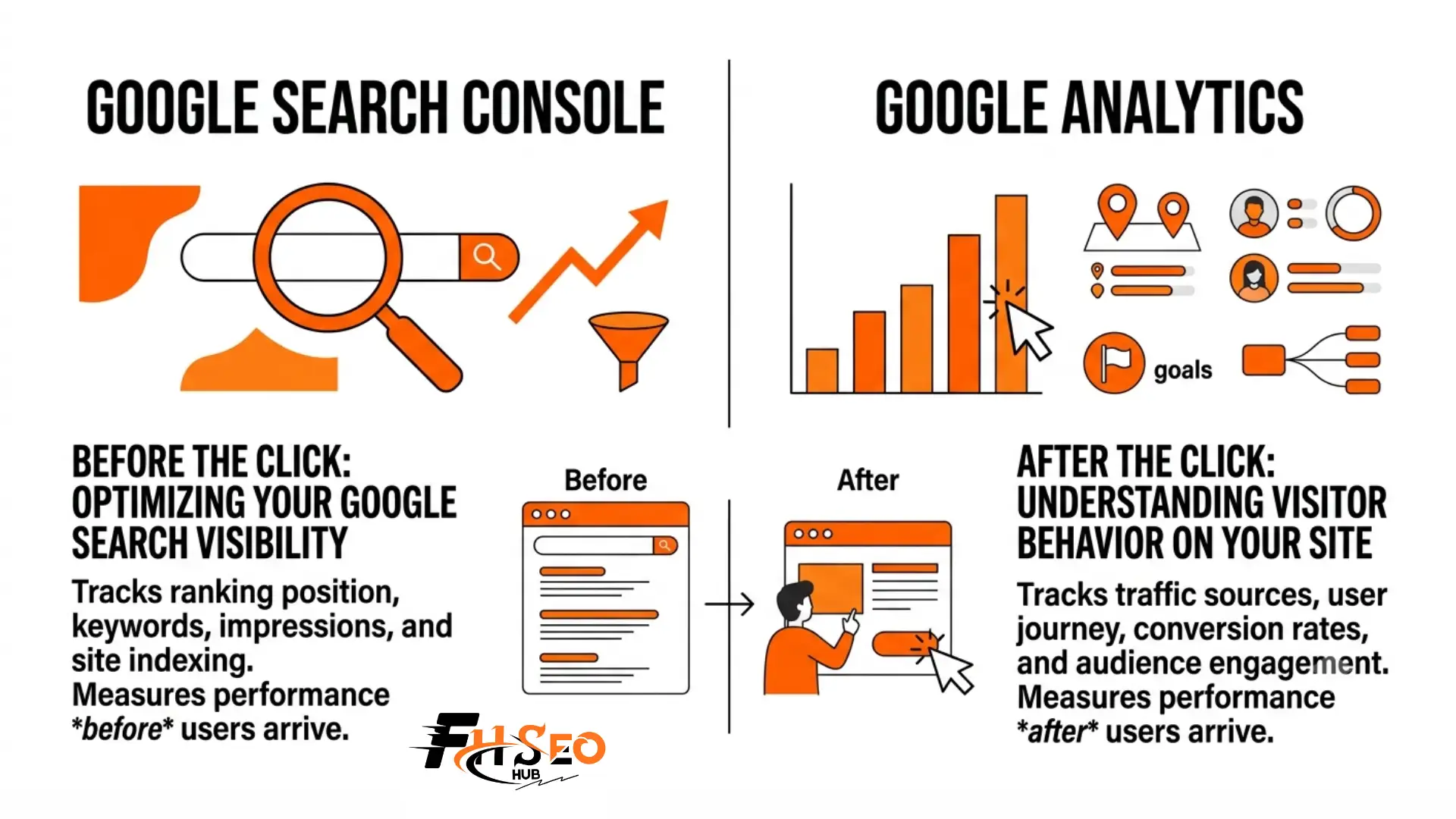
Google Search Console vs Google Analytics comes down to one split: Search Console shows how your site performs in Google’s results before anyone clicks, while Analytics shows what happens after. One reports search visibility. The other reports on site behavior. Most sites need both, since each tool answers a question the other one cannot.
What Google Search Console and Google Analytics Does
Search Console is Google’s free reporting tool for your site’s presence in search results, covering impressions, clicks, rankings, and indexing health. Analytics, now in its fourth major version, tracks what visitors actually do once they land on your pages.
Search Console pulls its data straight from Google’s own search systems. It tells you which queries surfaced your pages, how many people saw and clicked them, and whether Google can actually crawl and index those pages in the first place.
Analytics works differently. A small tracking snippet on your site logs events such as page views, button clicks, and purchases, then groups that activity into sessions and users. Where Search Console stops at the click, Analytics picks up the story from there.
If you remember the old Universal Analytics interface, the menus have moved. GA4 reorganized its reports around individual events instead of pageviews. The old Audience, Acquisition, and Behavior tabs are gone, replaced by Life Cycle reports covering Acquisition, Engagement, Monetization, and Retention, plus a separate User collection for demographics and tech details.
Search Console organizes itself differently, around five main sections:
None of these need a tracking snippet, since Google already has the data from crawling and serving your pages.
Developers and SEO specialists tend to live in Search Console day to day, since it catches indexing problems before they quietly cost traffic. Marketers and product teams lean harder on Analytics to see which content actually drives signups or sales. Most people in either role end up touching both tools at some point.
The Core Differences at a Glance
Comparing Google Search Console vs Google Analytics side by side makes the split easiest to see. Search Console covers everything before someone reaches your site. Analytics covers everything after.
| Aspect | Search Console | Analytics |
| Focus | Search visibility, pre click | User behavior, post click |
| Core data | Queries, impressions, clicks, indexing | Sessions, events, conversions, users |
| Data source | Google Search itself | Your website’s own tracking code |
| Traffic covered | Organic Google search only | Every channel, including paid, social, and direct |
| Verification | HTML tag, DNS record, or file upload | Tracking code or tag added to your site |
| History kept | 16 months | As long as the property stays active |
| Best question it answers | Did Google show and click my page | What did that visitor do next |
Neither tool replaces the other, and the overlap is smaller than it looks. Search Console cannot tell you whether a visitor actually bought anything, and Analytics cannot tell you why a page stopped appearing in search results at all. Pricing is identical too. Both are free for the vast majority of sites, with a paid enterprise tier of Analytics reserved for businesses processing huge volumes of data.
Why Your Numbers Never Match
Search Console clicks and Analytics sessions almost never line up, and that gap is normal rather than a sign of broken tracking. The two tools count activity using completely different methods.
Search Console logs a click the moment someone leaves Google’s results for your page, even if that page never finishes loading. Analytics only counts a session once its tracking code actually fires inside the visitor’s browser. Someone who taps back to Google before your page loads shows up in Search Console but never reaches Analytics at all.
A few other gaps add to the mismatch. Search Console always reports in Pacific time, no matter where your Analytics property is set, which shifts daily totals near midnight. Analytics misses visitors who block JavaScript or run an ad blocker, while Search Console still counts their click. Search Console also groups data by canonical URL, while Analytics reports the exact URL a visitor landed on. A page with several variations can end up looking different in each tool. There is even a smaller mismatch inside Search Console itself. Very rare or sensitive queries get filtered out of the Queries table for privacy reasons, so the total clicks shown for Pages can run higher than the sum of every row in Queries. None of this means one tool is wrong. They are simply answering different questions with different rulers.
What Changed in 2026: AI Search Now Shows Up in Both Tools
Both tools added native AI reporting in 2026, and together they finally let you see both sides of AI search traffic. Search Console shows when AI features display your content. Analytics shows when people actually click through from an AI assistant.
Search Console rolled out a dedicated generative AI performance report in June 2026, breaking out impressions earned inside AI Overviews, AI Mode, and Discover’s AI features by page, country, and device. It only shows impressions for now. Click, position, and query data for that specific surface have not arrived yet, though Google has said more detail is coming. If the same page shows up in both an AI Overview and the regular blue links on one search, it currently counts as a single blended impression. A companion toggle, rolling out alongside the report, lets a site opt out of appearing in these AI features entirely. Google has said this setting does not affect regular search rankings, so it is a narrow control rather than a blunt one. Opting out also means losing whatever AI visibility you already have.
Analytics made the matching move a few weeks earlier. A new AI Assistant channel now automatically sorts visits from tools like ChatGPT, Gemini, and Claude into their own row in your traffic reports, instead of burying them inside generic referral traffic. One detail trips people up here. Google’s own AI Overviews and AI Mode count as organic search inside this channel, not as AI Assistant traffic. That label is reserved for outside chatbots that send a visitor your way. The channel also only counts forward from its rollout date, so older AI traffic stays filed under whatever channel it landed in before.
How to Connect Search Console and Analytics
Linking the two tools pulls Search Console queries straight into your Analytics reports, so you can finally see which searches actually led to a sale or a signup. The setup takes a few minutes inside Analytics.
In Analytics, open Admin, then Product Links, then Search Console Links, and choose the property that matches your site. You will need editor access in Analytics and verified ownership in Search Console for the link to go through. Once connected, give it a day for data to start flowing. The Search Console report collection can stay hidden by default, so check under Reports and publish it from the library if you do not see it right away. From there you can break landing pages, countries, and devices down by the actual queries that brought people in. That beats guessing at which keywords are working from organic traffic numbers alone.
Common Mistakes to Avoid When You Are Using the Search Console and Analytics
Most confusion with these tools comes from comparing numbers that were never meant to match, or from missing a setting that quietly skews the data. A few mistakes show up again and again.
The deeper habit worth building is checking both tools together instead of separately. A page with rising impressions in Search Console but flat sessions in Analytics usually points to a weak title or meta description, not a tracking problem.
The Bottom Line
Google Search Console vs Google Analytics was never really a competition. Search Console proves Google can find, crawl, and rank your pages. Analytics proves what happens once a real visitor arrives. Run them side by side, link them together, and you get one honest record of your site’s performance instead of two partial ones.
FAQs
No. Search Console is the only place to see search queries and indexing health, and Analytics is the only place to see what visitors do once they arrive. Most sites need both running at once.
Search Console counts a click as soon as someone leaves Google for your page, even if the page never fully loads. Analytics only counts a visit once its tracking code fires, so abandoned loads show up in one tool but not the other.
Yes, but only after linking the two tools through Admin, Product Links, and Search Console Links inside Analytics. Without that link, Analytics has no visibility into Google search queries at all.
Start with Search Console to confirm Google can find and rank your pages, then move to Analytics to see what happens after people click through.
Yes. A native AI Assistant channel automatically separates visits from tools like ChatGPT, Gemini, and Claude, though it only counts traffic going forward from when the feature reached your property.
Yes, both Search Console and the standard version of Analytics are free, with no cap on the number of properties you can verify.
Only 16 months. If you need year over year comparisons beyond that window, export the data regularly or pull it into a separate reporting tool built for long term storage.


