SEO for Laravel Website: The Complete 2026 Technical Guide

Most businesses reach the same conclusion after launch: we built our platform on Laravel, it runs beautifully, so why are we invisible on Google? The answer is never the framework. SEO for Laravel almost always comes down to routing debt, scattered metadata, and schema nobody validated. Every one of those problems is fixable once you know exactly where to look.
Is Laravel Good for SEO?
Yes. Laravel SEO works differently from a CMS because the Laravel framework has no built-in plugins, relying instead on MVC architecture for code-level control over routing, metadata, and schema. This gives a higher ceiling for technical quality, but only when routing, metadata, and structured data get centralized from the start.
Think of it this way. WordPress hands you a plugin and a checkbox. Laravel hands you the keys to the engine. That means more setup up front, but nothing stands between you and clean, fast, fully controlled pages. Google’s John Mueller has put this plainly in an “Ask Googlebot” video: “our search systems don’t look for any particular content management system to treat it differently.” A well-built Laravel site competes with anything.
Is PHP SEO-Friendly?
Yes. PHP itself imposes no SEO limitation. SEO-friendly URLs, canonical tags, and structured data are all achievable in any PHP project. The Laravel framework specifically adds route model binding, the Eloquent ORM, and the Blade templating engine, which make implementing these SEO fundamentals considerably cleaner than raw PHP.
Search engines read your final HTML. They do not know or care whether PHP or plain HTML produced it. Remember that WordPress itself runs on PHP and powers a huge share of the web, so the “PHP is bad for SEO” myth simply does not hold up.
How to Do SEO for a PHP Website?
Start with SEO-friendly URLs, add canonical tags to prevent duplicate content, generate sitemap.xml and robots.txt correctly, then layer in structured data. In Laravel specifically, this means using route model binding for slugs and centralizing metadata logic instead of scattering it across files.
A quick example: define your route as /posts/{post:slug} and set getRouteKeyName() to return slug. Now /posts/laravel-seo-guide resolves cleanly instead of /posts/19. That one change gives you readable, shareable, keyword-rich URLs that both people and crawlers understand.
How Do You Optimize a Laravel Website’s Technical SEO?
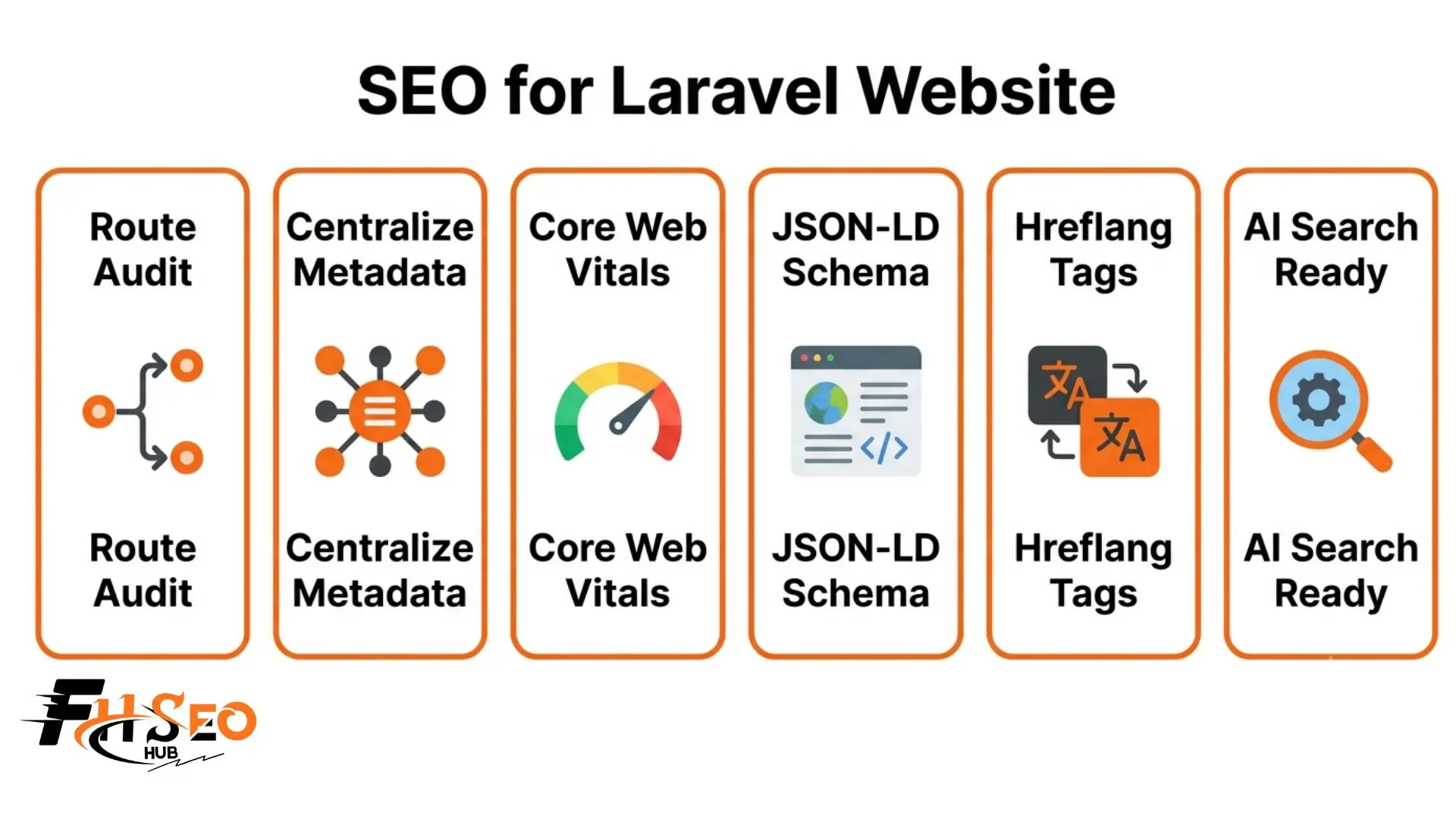
Fix routing fragmentation first through a route audit, then centralize metadata ownership into one service class, resolve pagination fragmentation with consistent query scopes, and generate sitemap.xml programmatically. These four fixes address the most common technical SEO debt patterns in real Laravel projects.
Here is the exact order that works:
Doing these in sequence matters. If you build sitemaps before fixing routing, you just index the mess faster.
How Do You Improve Core Web Vitals in Laravel?
Fix the N+1 query problem with eager loading, enable route caching through Artisan commands, and audit Blade component weight as templates grow. These directly reduce Time to First Byte (TTFB) and Largest Contentful Paint (LCP), the two Core Web Vitals metrics most affected by server-side rendering speed.
Google’s current thresholds are clear. Aim for LCP under 2.5 seconds, INP under 200 milliseconds, and CLS under 0.1, measured at the 75th percentile of real visits. TTFB is a diagnostic metric, and Google recommends keeping it under 200 milliseconds because a slow TTFB makes a good LCP nearly impossible.
Speed is not a vanity number. Google/SOASTA Research (2017) trained a deep neural network with 90% prediction accuracy and found that as page load time goes from one second to ten seconds, the probability of a mobile visitor bouncing increases by 123%. In Laravel, the fastest win is almost always eager loading, since one unchecked relationship can turn a single page into hundreds of database queries.
How Do You Generate Structured Data in Laravel?
Build JSON-LD programmatically from your Eloquent ORM models so schema markup never diverges from visible content. Validate every implementation through the Rich Results Test and Schema Markup Validator before deploying, since a single valid schema outperforms several malformed ones scattered across templates.
Generating schema from the same models that render your page keeps everything in sync. When the price changes on screen, it changes in the markup too. That accuracy matters because Google requires structured data to match what users actually see.
Here are the packages worth using in 2026:
| Package | What It Handles |
| spatie/laravel-sitemap | Dynamic sitemap.xml generation |
| artesaos/seotools | Centralized meta tags, Open Graph tags |
| spatie/schema-org | Programmatic JSON-LD from Eloquent data |
| mcamara/laravel-localization | Multi-language URL routing |
| Astrotomic/laravel-translatable | Translated content at the model level |
All five are actively maintained and compatible with current Laravel versions, so you are not betting on abandoned code.
How Do You Set Up Hreflang Tags in Laravel?
Generate hreflang tags dynamically for every page, including an x-default hreflang fallback, using localization files tied to your language config. Store translated content at the model level rather than duplicating text, so multilingual SEO signals stay consistent across every language version.
The pattern is simple. Loop through your supported locales in Blade, output one rel=”alternate” tag per language, then add the x-default for visitors whose language you do not target directly. Keep the translations in the database at the model level so a Spanish page and an English page share one source of truth instead of drifting apart over time.
Is Inertia.js or Livewire Bad for SEO in Laravel?
Not inherently, but client-side rendering can hide content from crawlers if server-side rendering is not configured correctly. Increasingly common in 2026 Laravel stacks, Inertia.js and Livewire need explicit testing to confirm crawlers see fully rendered HTML, not just an empty shell waiting for JavaScript.
The good news is the tooling has caught up. The creator of Inertia.js confirmed that Inertia SSR produces the exact same HTML as Blade, which is all search engines care about. Livewire renders on the server first by default, so its output is crawlable out of the box. The rule is simple: test the raw HTML your server returns, and if your content is there without JavaScript, you are fine.
How Do You Structure Laravel for AI Search and Generative Engines?
Add a short_answer field and key_facts field to core Eloquent models, build dedicated answer endpoints returning compact structured responses, and create self-contained context blocks in Blade. This positions Laravel for Generative Engine Optimization (GEO) and Answer Engine Optimization (AEO) as AI search grows.
This is where Laravel’s code-level control becomes a real advantage. Most AI crawlers do not run JavaScript at all. Vercel and MERJ’s study “The Rise of the AI Crawler” (December 2024) found that “none of the major AI crawlers currently render JavaScript,” including GPTBot, ClaudeBot, and PerplexityBot, which read only the raw HTML your server returns. Server-rendered Laravel content is exactly what they need. Only Googlebot (and Gemini through Google’s infrastructure) fully renders JavaScript, so AI answer engines will not wait around. vercel
Practical steps that pay off:
The Princeton-led GEO study (Aggarwal et al., KDD 2024) found that citing sources, adding statistics, and including quotations delivered a 30 to 40% relative improvement in generative engine visibility. So structure your content to be quoted, not just ranked. arXiv
How Does Laravel Compare to WordPress and Next.js for SEO?
WordPress wins on setup speed through plugins like Yoast. Next.js wins on out-of-the-box rendering performance. Laravel wins on long-term control and scalability once technical SEO debt is addressed, making it the stronger choice for custom applications rather than content-first sites.
| Factor | Laravel | WordPress | Next.js |
| Setup speed | Slower | Fast (plugins) | Fast (built-in SSR) |
| Long-term control | Highest | Plugin-dependent | High |
| Best for | Custom applications | Content-first sites | Modern web apps |
The honest takeaway is that none of these platforms is a magic ranking button. Google evaluates the pages, not the logo. Pick Laravel when you need a custom application with data integrity and full control over every SEO signal.
Final Thoughts
Strong SEO for Laravel is not about chasing a plugin. It is about discipline: clean routing, one home for metadata, fast server responses, and schema that matches your pages. Do the route audit first, then centralize, then measure your Core Web Vitals. Get those foundations right and your Laravel site can outrank almost anything.
FAQs
Yes. Laravel SEO gives developers full code-level control over SEO-friendly URLs, structured data, and Core Web Vitals that most CMS platforms cannot match. The Laravel framework has no built-in plugins, so the setup takes longer, but the ceiling for technical quality is significantly higher once done right.
Build SEO-friendly URLs, implement canonical tags, generate sitemap.xml and robots.txt correctly, and add structured data through JSON-LD. In Laravel, use route model binding and centralize metadata through a service class instead of scattering logic across multiple files.
Fix routing fragmentation, centralize metadata ownership, resolve the N+1 query problem with eager loading, enable route caching, and validate schema markup through the Rich Results Test. These five fixes address most technical SEO debt found in real Laravel projects.
Yes, PHP places no inherent limit on SEO quality. The Laravel framework specifically improves on raw PHP through route model binding, the Eloquent ORM, and the Blade templating engine, all of which make SEO-friendly URLs and structured data considerably easier to implement consistently.


