
How to Create Infographics for Link Building: Types, Size & Tools

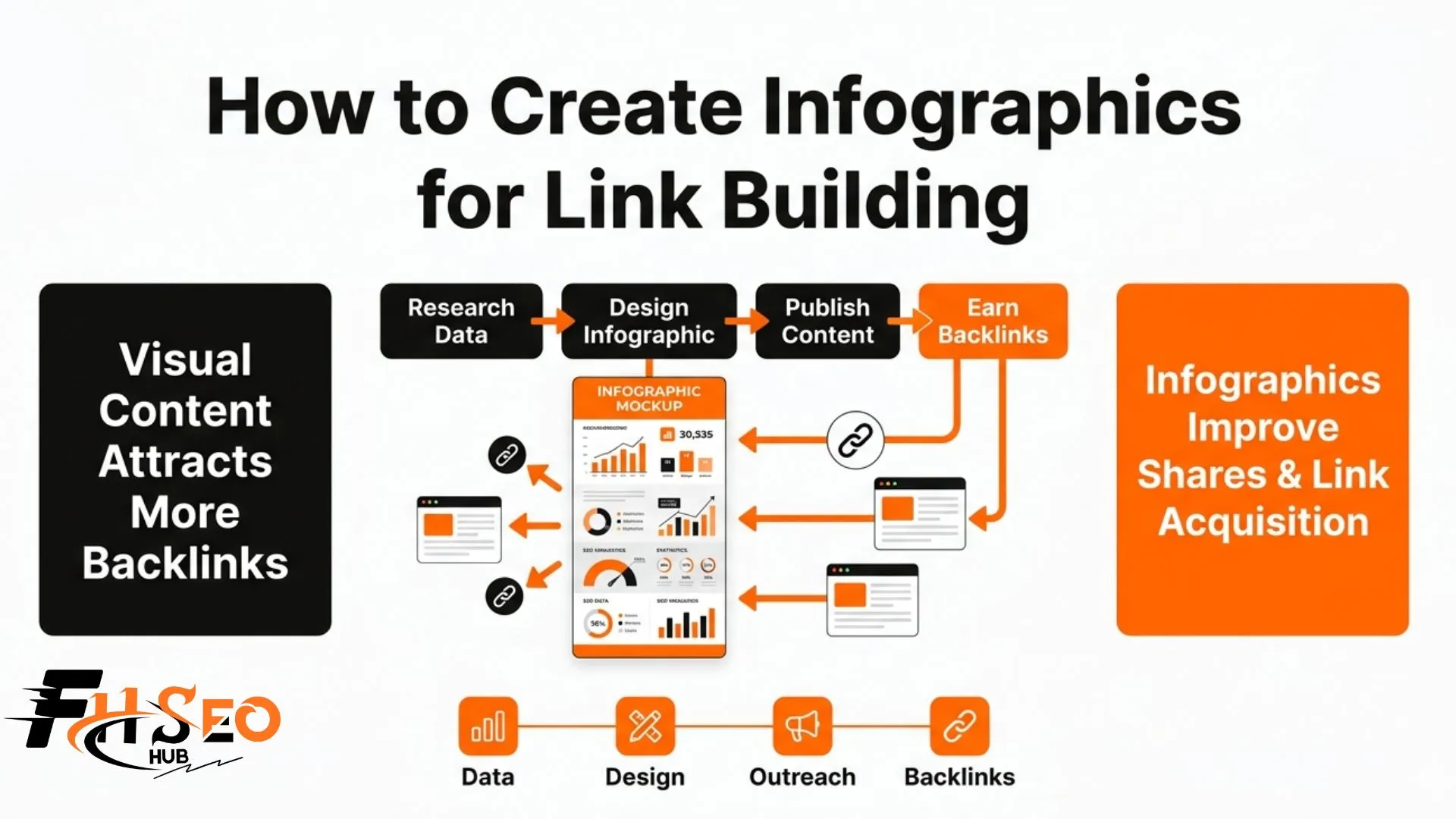
To create an infographic for link building, start with a topic that contains original data your niche publishers genuinely need to reference, choose the infographic type that matches your data format, design it at 800 to 1200px wide with a file size under 1MB, and optimize the host page with structured data and descriptive alt text. The infographic itself determines whether outreach succeeds.
Most infographic link building campaigns fail before the outreach begins. The infographic was the problem, not the pitch. Publishers receive dozens of infographic embed requests weekly. They embed the ones that give their readers something they cannot get from a simple paragraph of text and link to the source because their audience would genuinely want to see it.
What makes an infographic good for link building?
A link-worthy infographic has four non-negotiable qualities: original data, topical relevance to the niche you are targeting, genuine visual clarity, and credible sourcing. Missing any one of these reduces the editorial link earning potential significantly.
The 4 qualities that make an infographic genuinely link-worthy
The four qualities in order of importance:
- Original data: The infographic contains statistics or research findings that other sites cannot find anywhere else. When your data is unique, publishers must link to your source page to credit it. This is citation dependency: the design choice that makes linking obligatory rather than optional.
- Topical relevance: The infographic is directly relevant to the niche, beat, or publication type you plan to target with outreach. An infographic about email marketing statistics has zero link earning potential from cybersecurity blogs regardless of design quality.
- Visual clarity: The infographic presents information in a format that is genuinely easier to understand visually than in prose. If the same information reads just as clearly in a paragraph, publishers have no reason to embed the visual.
- Credible sourcing: Every data point in the infographic attributes its source. Publishers will not embed a visual that could expose them to factual challenges from their own audience.
Why data and original research are the single strongest link magnets
Original research infographics create a structural advantage that no amount of design quality can replicate for generic visuals. According to research at FHSEOHub (February 2026), original research generates 3 to 5 times more backlinks than infographics visualizing publicly available data. The reason is direct: when a journalist or blogger cites a statistic from your original survey, they must link to your page as the primary source. That obligation disappears the moment they can trace the data back to a third-party study you simply repackaged.
The difference between a shareable infographic and a linkable infographic
Most infographic creation advice conflates these two outcomes. A shareable infographic gets distributed on social media. A linkable infographic gets embedded on other websites with a backlink to the source. These require different design priorities.
Shareable infographics prioritize emotional resonance, quotability and visual impact on a small screen. Linkable infographics prioritize data depth, clear attribution and embed-friendliness on a desktop article page. A visually striking motivational quote graphic earns thousands of shares and almost no editorial links. A dense statistical infographic with named survey data earns few shares and dozens of editorial links. Build for the outcome you actually want.
What size should an infographic be for link building?
The standard dimensions for a link building infographic are 800 to 1200 pixels wide, with a height between 2000 and 8000 pixels depending on content volume, and a file size under 1MB. These specifications optimize for both editorial embedding and page speed on the sites that host your infographic.
Recommended dimensions for standard link building infographics
The width range of 800 to 1200 pixels covers the standard content column width of most blogs and editorial sites. Wider infographics require horizontal scrolling or forced scaling on host sites, which discourages embedding. Height is content-driven: a simple statistical infographic may stand at 2000 pixels while a comprehensive process infographic covering 12 sequential steps may reach 6000 to 8000 pixels.
Always publish the full-resolution version on your own infographic page and provide a web-optimized version (compressed to under 1MB) in your outreach embed code. Publishers are less likely to embed an asset that noticeably slows their page load speed.
How image file size affects embedding and page speed
Publishers consider page speed before embedding external assets. A 4MB infographic file creates a measurable load time penalty on the embedding site, which gives editorial teams a practical reason to decline the embed. Compressing your infographic to under 1MB using tools like TinyPNG or Squoosh eliminates this objection without visible quality loss for standard web display.
Mobile-friendly infographic dimensions in 2026
Mobile-first design matters directly for link building in 2026 because most publishers’ audiences now primarily access content on mobile devices. Design at 800px maximum width and test readability at 375px (standard mobile screen width). Text within the infographic should remain readable at this reduced scale. If your infographic requires zooming to read on a mobile screen, publishers serving mobile-first audiences will not embed it.
File format: use PNG for infographics with text, flat colors and sharp edges. Use JPEG only for photo-heavy or gradient-heavy designs where compression artifacts are acceptable.
Best tools to create infographics for link building in 2026
Four tools cover the full range of infographic link building needs from beginner-accessible template production to custom professional design. The right tool depends on your skill level, data complexity and brand requirements.
Canva: best for beginners and fast production
Canva Pro offers the fastest path from concept to publishable infographic for non-designers. Its template library covers all standard infographic types and the interface requires no design experience. The limitation is meaningful for link building: Canva templates are widely recognized and may reduce the perceived originality of your infographic with publishers who see multiple Canva-generated visuals in their inbox daily.
Use Canva when speed and accessibility matter more than design originality, or when your data is compelling enough that template design does not undermine the link earning potential.
Visme and Piktochart: best for data visualization
Visme provides stronger data visualization features than Canva, including interactive chart builders and more granular control over statistical visual formats. Piktochart is purpose-built for infographic creation with a dedicated layout system optimized for vertical scrolling infographics. Both tools sit between Canva’s accessibility and Adobe’s complexity.
Use Visme or Piktochart when your infographic is data-heavy with multiple charts, graphs and statistical elements that need accurate visual representation rather than illustrative approximation.
Adobe Illustrator: best for custom professional design
Adobe Illustrator gives full creative control over every design element with no template constraints. A truly custom branded infographic produced in Illustrator looks distinct from every template-based competitor’s visual, which helps it stand out in publisher inboxes during outreach. The barrier is the learning curve and time investment.
Use Adobe Illustrator when brand differentiation matters, when your infographic will anchor a high-investment campaign targeting top-tier publications or when you have access to a professional designer.
AI-powered infographic tools
AI image generation tools are not suitable for creating link building infographics. They cannot accurately represent numerical data, produce reliable charts or maintain factual consistency across visual elements. A data statistic generated or visualized incorrectly by an AI tool destroys the credibility that makes your infographic citable.
Infographic structured data markup is a technical element no tool handles automatically. After publishing your infographic page, add Schema.org ImageObject markup to help Google understand the content of the visual and surface it correctly in image search and AI Overview panels.
How to choose the right topic for a link-building infographic
The right infographic topic combines a real data gap in your niche, a publishing audience that regularly embeds visuals and original data you can own as the primary source. Topic selection determines link earning ceiling more than any design decision.
How to find data gaps your competitors have not visualized
Open Ahrefs Content Explorer and search for your niche topic combined with the word “infographic.” Filter results by referring domains in descending order. This surfaces the infographics in your space that have already attracted the most backlinks and shows you which visual angles are proven. Note the topics, data sources and design angles. Your goal is not to replicate these benchmark assets but to identify the adjacent angles they have not covered.
Using keyword research to identify infographic topics with link potential
Search your target topic in Google Images. If ten high-quality infographics already exist on the exact angle you planned, either deepen the concept with more original data or choose a different angle. If few or no infographics appear for a frequently searched question, you have found a visual content gap that link-worthy infographic content can fill.
The micrographic derivative strategy compounds the value of a single creation investment. After publishing your full infographic, break it into 5 to 8 standalone micro-versions optimized for social sharing. Each micro-version drives traffic back to the full infographic page, producing additional organic link acquisition as new publishers discover your data through social channels.
How to validate an infographic topic before investing in design
Before commissioning or creating a full infographic, check that the sites you want links from actually embed visual content. Open the Ahrefs backlink reports for five to ten of your target publications and filter for image file extensions (.jpg, .png, .webp) in the target URL column. If these sites never embed external infographics, targeted outreach to them is low-probability regardless of your infographic quality.
Conclusion
How to create infographic for link building comes down to four sequential decisions: choose a topic with original data that creates citation dependency, select the infographic type that best presents your data format, design at 800 to 1200px wide with a file size under 1MB for frictionless embedding, and use the tool that matches your design skill and data complexity.
The infographic is the product. A strong product with average outreach outperforms an average product with exceptional outreach in infographic link building every time. Invest proportionally in the creation phase before the distribution phase.
Validate your topic before designing, test your data for citability, and add Schema.org ImageObject structured data to your infographic page after publishing to maximize visibility in image search and AI Overview panels.


