SEO Checklist for New Websites: Complete Step-by-Step Guide For Beginner’s

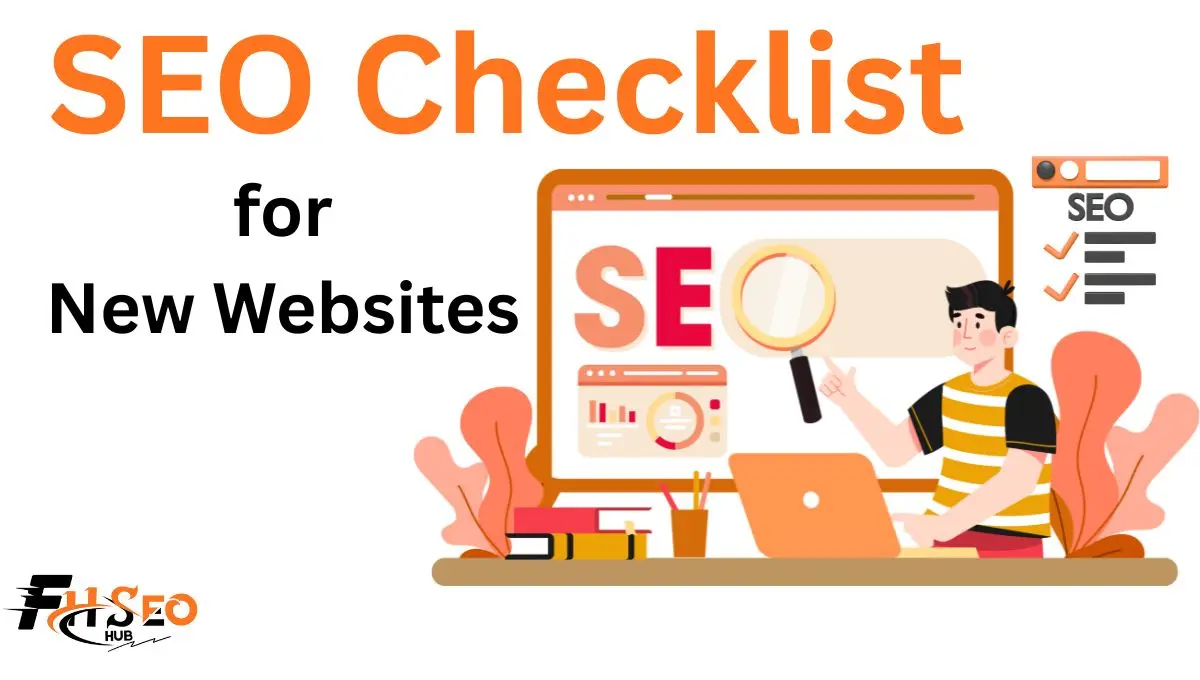
A proper SEO checklist for new websites covers site structure, keyword research, a technical SEO audit, on-page SEO, Core Web Vitals, and SEO performance tracking, done before launch and verified after. Skip any of these layers and you delay indexing, and that delay usually costs months, not days.
That delay is the real fear behind most launch panic. A site goes live, nothing shows up in search after two weeks, and the founder assumes Google hates them. Most of the time it’s something boring: a stray noindex tag, a robots.txt block left over from staging, or a sitemap that was never submitted. This checklist walks through the setup that prevents that, in the order it actually needs to happen.
Plan Your Website’s SEO Foundation
Before touching a single page, three decisions shape everything downstream: what the site is for, what domain and host it runs on, and what platform builds it. Get these wrong and you’re rebuilding URL structures and re-earning trust signals later, which is far more expensive than getting them right the first time.
Define Your Website Goals and Target Audience
Every page needs a job. Decide whether the site exists to sell directly, generate leads, build an audience, or support a local business, because that decision determines your content strategy, your keyword priorities, and even your site architecture. A local service business needs location pages and a Google Business Profile; a SaaS product needs feature and comparison pages. Skipping this step is why so many new sites end up with a homepage, a blog, and not much connective tissue between search intent and the pages meant to satisfy it.
Choose a Suitable Domain and Reliable Hosting
If you’re buying a brand-new domain, there’s not much to check beyond availability. If you’re buying an aged or expired domain for a head start, check its domain name history first. Run it through the Wayback Machine and a backlink tool to see what it was used for previously. A domain that hosted a link farm, an adult site, or a spam blog can carry a suppression that takes months to shake off, and you often can’t tell without checking. Hosting matters too: slow, oversold shared hosting quietly damages your Core Web Vitals before you’ve written a single page. Most reliable hosting for a small-to-mid site runs somewhere in the range of standard shared or managed hosting plans; the exact cost varies by provider and traffic needs, but paying for consistent server response time is one of the few technical SEO investments with a near-immediate payoff.
Select an SEO-Friendly Website Platform
Whatever platform you choose, WordPress, Webflow, Shopify, or a custom build, confirm it lets you control title tags, meta descriptions, canonical tags, URL slugs, and robots.txt without fighting the system. Some page builders auto-generate messy URLs or duplicate content through tag and category archives. Check this before development starts, not after launch, because website architecture is one of the hardest things to change once content and internal links are built around it.
Perform Keyword Research and Plan Your Site Structure
Keyword research for a new site is different from keyword research for an established one. You’re not just picking words people search for, you’re deciding which battles you can actually win with zero domain authority.
Find Relevant Low-Competition Keywords
A brand-new domain has no backlink profile and no ranking history, so targeting the same head terms as established competitors is a common and expensive mistake. SEO professionals consistently find that new sites gain traction faster by targeting long-tail keyword variations first, then working toward broader terms as authority builds. Use a keyword research tool like Ahrefs, Semrush, or a free alternative like Google Keyword Planner to find terms with real search volume but manageable competition. A common trade-off here: low-competition keywords bring less volume individually, but they compound faster into rankings, and those early rankings are what let you compete for harder terms later.
Match Keywords With Search Intent
Every keyword carries an intent: informational, navigational, commercial, or transactional. Matching content type to that intent matters more than matching the exact phrase. A commercial-intent keyword needs a product or service page, not a blog post, and mismatching the two is one of the fastest ways to see a page rank on page one for an hour and drop right back off.
Assign One Primary Keyword to Each Page
Map one primary keyword to each page before you write anything. Pages competing against each other for the same term, a problem called keyword cannibalization, dilute your ranking potential and confuse Google about which page to show. A simple spreadsheet with URL, primary keyword, secondary keywords, and search intent prevents this before it starts.
Create a Clear Website Hierarchy
Website architecture should mirror how users think about your topic, not how your org chart is structured. Group related pages under logical categories, keep the hierarchy shallow, and make sure the URL structure reflects that grouping. This isn’t cosmetic. A clean hierarchy helps search engines understand topical relationships between pages, which supports crawlability and topical authority at the same time.
Keep Important Pages Within Three Clicks
The three-click rule is a rough guideline, not a hard law, but it holds up in practice: pages buried more than three clicks from the homepage get crawled less often and get less internal link equity. Combine this with breadcrumb navigation so users and crawlers always know where a page sits in the hierarchy. Watch for orphan pages too, pages with no internal links pointing to them at all. They’re one of the most common and hardest-to-spot indexing killers on new sites, because a crawler often can’t find a page it isn’t linked to.
Complete the Technical SEO Setup
This is where most new-website SEO problems actually originate. None of it is glamorous, and almost all of it is invisible until something breaks.
Install SSL and Enable HTTPS
HTTPS and an SSL certificate are non-negotiable in 2026. Beyond the trust signal, browsers actively flag non-HTTPS sites as “not secure,” which kills conversions before SEO even enters the picture. If you migrate from HTTP to HTTPS after launch, set up proper HTTP-to-HTTPS redirects and update every internal link and canonical tag to match, or you’ll create duplicate content issues across both versions.
Configure the Robots.txt File
This is where a lot of new sites accidentally shoot themselves before launch. A robots.txt file controls crawling, not indexing, and that distinction trips up more people than almost anything else on this list. If a page is disallowed in robots.txt, Google can still index it and show it in search results if it’s linked from elsewhere, usually without a title or description, which looks worse than just letting it be crawled. The reverse mistake is just as common: development teams leave a blanket Disallow: / in robots.txt from staging, and the entire site launches invisible to search engines. If you want a page genuinely out of search results, use a noindex meta tag or Search Console’s removal tool, not robots.txt. Check this file the moment the site goes live, not a week later.
Create and Submit an XML Sitemap
An XML sitemap should list only the pages you actually want indexed, no redirects, no error pages, no noindex pages mixed in. Keep it consistent with your robots.txt: reference your sitemap location inside robots.txt so crawlers find it automatically, and never use robots.txt to try to exclude a page that’s still listed in your sitemap. That contradiction confuses crawlers and slows discovery. Submit the sitemap through both Google Search Console and Bing Webmaster Tools once it’s live. Most CMS platforms and SEO plugins generate this automatically at a standard path like /sitemap.xml.
Add Canonical Tags
If your site is reachable at both the WWW and non-WWW versions, or with and without a trailing slash, pick one as the standard and set canonical tags pointing to it everywhere. Without this, search engines can treat the two versions as separate, duplicate pages competing against each other, splitting the ranking signals that should be consolidating on one URL.
Fix Broken Links and Set Up 301 Redirects
Crawl the site with a tool like Screaming Frog before launch and after any major update. Fix every internal link pointing to a 404 error, and set up 301 redirects for any URL that’s changed or been removed. Watch your HTTP status codes closely here: a 302 (temporary) redirect where a 301 (permanent) belongs can quietly stall the transfer of ranking signal to the new URL for months.
Check Crawlability and Indexability
Once the technical basics are in place, use the URL Inspection tool in Google Search Console to check exactly how Google sees your most important pages. It will tell you if a page is indexed, blocked, or has a conflicting canonical signal. Do this for your core pages before you assume anything is wrong.
Optimize Every Page for On-Page SEO
Technical SEO gets you crawled. On-page SEO gets you understood and, eventually, clicked.
Write Unique Title Tags and Meta Descriptions
Every page needs a unique title tag and meta description, written for the person searching, not stuffed with keywords. Title tags carry real ranking weight and directly influence click-through rate from the results page; meta descriptions don’t directly affect rankings but strongly affect whether someone clicks. Keep title tags under roughly 60 characters and descriptions under about 155 to 160 so they don’t get cut off in the results.
Use One H1 With a Logical H2 and H3 Structure
Use exactly one H1 per page, matching the page’s main topic, then break the content into H2 and H3 sections that follow a logical hierarchy, not just visual formatting. This helps both users skimming the page and AI systems trying to extract a structured answer from it.
Create Short and Descriptive URLs
Keep URLs short, lowercase, and descriptive of the page’s actual content. Avoid parameter strings, dates, and unnecessary subfolders where possible. /services/roof-repair communicates more, to both users and crawlers, than /page?id=4827.
Optimize Images and Alt Text
Every meaningful image needs descriptive alt text, both for accessibility and because it’s one of the few remaining ways search engines understand image content directly. Pair that with image compression and WebP images where supported, since unoptimized images are still one of the single biggest causes of slow page load on new sites.
Add Relevant Internal Links
Link between related pages using descriptive, natural anchor text, not generic “click here” links. Internal linking does three things at once: it helps crawlers discover pages, it distributes ranking signal across the site, and it keeps users moving toward conversion pages instead of dead-ending on a blog post.
Improve Mobile Usability, Page Speed, and Core Web Vitals
Google has used mobile-first indexing for years now, meaning the mobile version of your site is what actually gets evaluated for ranking, not the desktop version. If your mobile experience is worse than desktop, that’s the version Google is judging you on.
Test Mobile Responsiveness
Test every core page on an actual phone, not just a browser’s device emulator. Check tap target sizing, font legibility, and whether anything overlaps or requires horizontal scrolling. Google’s own mobile-friendly test and PageSpeed Insights both flag obvious issues, but manual checking catches the ones automated tools miss.
Improve LCP, INP, and CLS
Core Web Vitals in 2026 are Largest Contentful Paint (LCP), Interaction to Next Paint (INP), and Cumulative Layout Shift (CLS). INP replaced First Input Delay (FID) as the official responsiveness metric back in 2024, and any checklist still referencing FID is working from an outdated standard. If you inherited an older audit template, drop FID from it entirely.
| Metric | What It Measures | Good Threshold | Poor Threshold |
| LCP | Time for the largest visible element to render | Under 2.5 seconds | Over 4 seconds |
| INP | Responsiveness across every interaction in a session | Under 200 milliseconds | Over 500 milliseconds |
| CLS | Visual stability during page load | Under 0.1 | Over 0.25 |
Use PageSpeed Insights and prioritize field data, real visitor data, over lab data, which is a synthetic simulation. It’s worth being honest about the ranking impact here: Google has repeatedly said page experience signals are a smaller ranking factor than content relevance, so Core Web Vitals is not going to override thin or poorly matched content. It’s still worth fixing, because slow, unstable pages bleed conversions and user trust regardless of what it does to rankings.
Compress Images and Use WebP
Beyond alt text, actively compress every image before upload and convert to WebP or a similarly efficient format. This is usually the single fastest win for LCP on content-heavy pages.
Enable Caching and Lazy Loading
Caching reduces repeat load times for returning visitors, and lazy loading defers off-screen images and embeds until a user scrolls to them. Both reduce initial page weight without removing any content, which is exactly the kind of speed fix that doesn’t come with a trade-off.
Minify CSS and JavaScript
Minifying CSS and JavaScript, and deferring or async-loading scripts that aren’t needed for the first paint, directly reduces the main-thread blocking that causes poor INP scores. This is usually a developer task rather than something handled in a CMS dashboard, so flag it early if you’re working with a dev team.
Create Helpful Content and Build Trust
Technical SEO and on-page optimization get a page eligible to rank. Content is what actually earns the ranking, and it’s the piece most new sites underinvest in relative to setup.
Optimize Your Main Service or Product Pages
Your money pages, the ones tied directly to revenue, deserve the most editorial attention on the site. Write them for the person ready to buy or convert, answer the objections they’ll have, and don’t bury the value proposition under generic filler paragraphs written to hit a word count.
Build Pillar Pages and Topic Clusters
Structure your content strategy around pillar pages, broad pages covering a core topic, linked to a cluster of more specific supporting pages. This topic cluster model helps search engines understand topical authority and gives users a clear path from broad interest to specific answers. It’s also one of the more reliable ways a new site earns topical relevance without needing an enormous content library on day one.
Match Content With Search Intent
Revisit the search intent mapping from your keyword research phase before publishing. A page built for informational intent that reads like a sales pitch, or a product page padded with unrelated blog-style content, underperforms even when the keyword targeting is technically correct.
Add Author Profiles and E-E-A-T Signals
E-E-A-T signals, experience, expertise, authoritativeness, and trust, matter more for a brand-new domain than an established one, because you have no track record for Google or users to lean on yet. Add real author profiles with genuine credentials, not generic bios. A common mistake here is treating E-E-A-T as a checkbox: adding a bio page without any actual expertise behind it doesn’t move the needle. What does help is genuine specificity, real names, real experience, real contact information, especially for YMYL topics like health, finance, or legal content, where Google’s guidelines apply extra scrutiny.
Add About, Contact, and Essential Policy Pages
An About page, a Contact page with real, verifiable business information, and essential policy pages (privacy policy, terms, and any industry-specific disclosures) round out the trust signals a new site needs. These pages rarely rank for anything themselves, but their absence is a red flag search engines and users both notice.
Set Up SEO Tracking and Structured Data
You can’t improve what you’re not measuring, and a surprising number of new sites launch without any tracking in place at all.
Configure Google Search Console
Verify your site in Google Search Console before or immediately at launch. It’s the only tool that shows you exactly how Google crawls and indexes your site, including coverage errors, manual actions, and Core Web Vitals field data specific to your domain.
Install Google Analytics 4
Install Google Analytics 4 to track organic traffic, user behavior, and conversions. Set up conversion events for whatever counts as success on your site, form submissions, purchases, sign-ups, before launch, not weeks after, so you have baseline data from day one instead of a gap you can never fill in retroactively.
Add Relevant Schema Markup
Structured data helps search engines, and increasingly AI Overviews and other generative search features, understand your content more precisely.
| Schema Type | Best Use Case |
| Organization schema | Establishes core business identity across the site |
| WebSite schema | Enables sitelinks search box and site-level identity |
| Article schema | Blog posts and news-style content |
| Breadcrumb schema | Reinforces site hierarchy in search results |
| LocalBusiness schema | Local service businesses with a physical presence or service area |
Implement schema through your CMS’s SEO plugin where possible, and always validate it with Google’s Rich Results Test before publishing. Incorrect or misleading structured data can go unrewarded at best, or trigger a manual review at worst, so accuracy matters more than coverage here.
Track Organic Traffic and Conversions
Once Search Console and Analytics are both live, set a baseline and track organic traffic and keyword rankings weekly for the first few months, then monthly once things stabilize. Early data on a new site is noisy, small traffic changes look dramatic in percentage terms, so watch trends over weeks, not single days.
Complete the Pre-Launch and Post-Launch SEO Checks
Launch day isn’t the finish line. It’s closer to the starting gun.
Run a Final Technical SEO Audit
Forty-eight hours before launch, run a full technical SEO audit covering everything above: crawlability, indexability, redirects, canonical tags, mobile usability, and Core Web Vitals. Catching a misconfigured robots.txt file the day before launch costs you an hour. Catching it three weeks after is a much bigger reindexing delay.
Submit the Sitemap and Request Indexing
Once live, submit your XML sitemap in Search Console and Bing Webmaster Tools, then use the URL Inspection tool to manually request indexing for your most important pages, homepage, core service or product pages, and any pillar content. Manual submission doesn’t guarantee immediate indexing, but it typically speeds up discovery compared to waiting for organic crawl.
Check Indexing and Crawl Errors
Monitor the Coverage report in Search Console over the following weeks. Indexing timelines vary, and it’s worth being honest about this instead of promising a fixed number: a well-structured new site with a clean technical setup often sees its core pages indexed within days to a couple of weeks, while a larger site, or one on a domain with no prior trust, can take longer. If pages aren’t indexing after a month, that’s a real signal something in the technical setup needs another look, not just more patience.
Monitor Keyword Rankings and Organic Traffic
Track keyword rankings for your mapped primary keywords alongside overall organic traffic. Expect volatility in the first few months. Rankings on a new domain fluctuate more than on an established one as Google recalibrates how much to trust the site.
Fix New Technical Issues
New issues surface after launch that never showed up in staging: broken forms, unexpected redirect loops, or a plugin update that reintroduces a noindex tag. Recheck your technical SEO audit points monthly for the first few months, then quarterly once the site stabilizes.
Start Building Relevant Backlinks
This is where a lot of new sites either waste money or hurt themselves. Building backlinks aggressively before your technical foundation and content are solid is a common way to burn budget with little return, because there’s nothing worth linking to yet, and it can draw unwanted scrutiny if the links look manufactured relative to a brand-new domain’s size. The more sustainable approach: wait until your core pages are indexed and stable, then start with realistic, relationship-based tactics; guest contributions on genuinely relevant sites, digital PR around something newsworthy, and earning links naturally through content worth citing.
| Approach | Typical Cost Range | Typical Timeline to See Impact | Best Fit |
| DIY outreach | Time investment, minimal cash cost | Several months, often longer on a brand-new domain | Founders with bandwidth and subject-matter credibility |
| Freelance link builder | Moderate, project or hourly based | A few months, depending on niche and volume | Sites with budget but not enough scale for a full agency |
| Full-service agency | Higher, typically a recurring monthly retainer | A few months to consistent results, but ongoing | Sites that need volume and consistency without managing it internally |
Costs vary widely by niche competitiveness and vendor quality, so treat any of these as a general range rather than a fixed number, and be skeptical of any vendor promising a specific ranking position or a fixed number of links per month on a guaranteed timeline. Google’s guidelines specifically warn against link schemes built purely to manipulate rankings, and a vendor who can’t explain their acquisition method in plain language is a real risk, not just an inconvenience.
Common New Website SEO Mistakes to Avoid
Blocking Search Engines From Crawling the Website
The most common launch-day disaster: a staging robots.txt file with Disallow: / gets pushed to production and never removed. Check this the moment the site goes live.
Targeting Highly Competitive Keywords Too Early
Chasing head terms with zero domain authority wastes content effort that could have compounded faster on long-tail keyword targeting instead.
Publishing Thin or Duplicate Content
Pages that exist just to fill out a sitemap, without real depth or a clear reason to exist, dilute the site’s overall quality signal and rarely rank on their own.
Ignoring Mobile Performance and Page Speed
Since mobile-first indexing means Google evaluates the mobile experience, a site that’s fast on desktop but sluggish on mobile is being judged on its worst version.
Launching Without Analytics or a Content Plan
Going live without Google Analytics 4 and Search Console configured means losing baseline data permanently. Launching without any content plan means the site stalls at whatever pages existed on day one.
Conclusion
A new website’s SEO checklist isn’t about doing something exotic, it’s about not skipping the boring parts: a working robots.txt file, a submitted sitemap, clean URLs, real content matched to real search intent, and tracking that’s live from day one. Most of the sites that struggle after launch didn’t lose to a smarter competitor, they lost to a misconfigured technical setting nobody checked. Work through this checklist in order, recheck it 48 hours before launch, and give the site realistic time to earn trust before assuming something’s broken.
FAQs
A complete checklist covers technical setup (SSL, robots.txt, sitemap, crawlability), on-page SEO (title tags, meta descriptions, heading structure, internal links), Core Web Vitals and mobile usability, content built around real search intent, structured data, and tracking through Search Console and Analytics, done before launch and verified after.
Start with keyword research and site architecture before writing content, since restructuring URLs after launch is far more disruptive than planning them correctly the first time. Then layer in technical SEO, on-page optimization, and tracking before going live.
Submit your XML sitemap through Google Search Console, then use the URL Inspection tool to manually request indexing for your core pages. Make sure robots.txt isn’t blocking anything important and that pages aren’t accidentally set to noindex.
There’s no fixed number. Map one primary keyword per page and let the total scale with how many genuinely distinct pages the site needs. A small business site might target a few dozen keywords across service and location pages; a content-heavy site will target far more as it grows.
Indexing can happen within days to a few weeks for a technically clean site. Meaningful ranking movement typically takes longer, often several months, and varies significantly by competition level and content quality. Anyone promising fast rankings on a brand-new domain is setting an expectation that doesn’t match how search engines evaluate trust over time.