Does Redirecting a URL Affect SEO? Types of Redirects

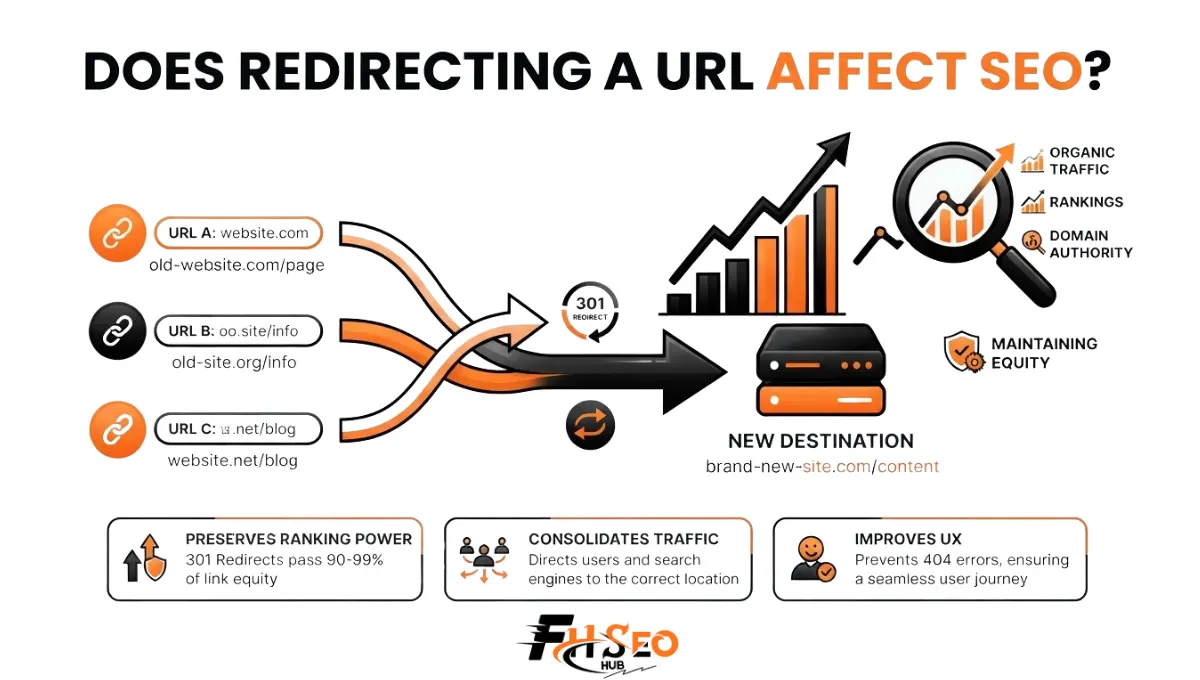
Redirecting a URL, or an entire domain redirect during a site consolidation, does affect SEO. A properly implemented redirect preserves ranking signals and link equity rather than destroying them. The damage people associate with redirects almost always comes from implementation errors. Redirect chains, loops, the wrong status code, or redirecting to an unrelated page cause the real harm, not the act of redirecting itself.
Most redirect content still repeats a debunked rule that a 301 loses a fixed percentage of PageRank on the way through. Google retired that claim years ago. This guide covers what genuinely happens to link equity during a redirect, when each redirect type genuinely belongs, and where real damage still happens in 2026.
What Is a Redirect?
A redirect is a server or client instruction that automatically sends visitors and search engine crawlers from one URL to a different URL. It uses an HTTP status code to signal whether the move is permanent or temporary. This differs from a canonical URL tag, which consolidates duplicate content signals without physically moving visitors anywhere. Every redirect type communicates something specific to search engines beyond just moving traffic.
Redirects exist because URLs change constantly: pages get merged, sites get restructured, domains get rebranded, and content gets consolidated. Without a redirect in place, every one of those changes would strand existing backlinks, bookmarks, and search rankings at a URL that no longer serves any content.
Types of Redirects: 301, 302, 307, 308 and More
Redirects fall into a handful of standard HTTP status codes, each communicating different permanence and method-preservation behavior. A 303 redirect is less common than 301, 302, 307, or 308. It specifically tells a browser to fetch the destination with a GET request regardless of the original method, typically seen after a form submission. Client-side alternatives like JavaScript redirects and meta refresh get processed less reliably than a server-side redirect.
| Type | Status Code | Meaning | Best Use Case |
| 301 | Moved Permanently | Permanent move, consolidates rankings to destination | Migrations, URL changes, page merges |
| 302 | Found | Temporary move, keeps original URL indexed | A/B tests, maintenance pages, geo-targeting |
| 307 | Temporary Redirect | Like a 302, but preserves the original request method | Temporary moves involving form submissions |
| 308 | Permanent Redirect | Like a 301, but preserves the original request method | Permanent moves involving form submissions |
| JavaScript Redirect | N/A (client-side) | Executes after page load, not a true HTTP redirect | Avoid for SEO-critical redirects when possible |
| Meta Refresh | N/A (client-side) | HTML-level delayed redirect | Avoid, weak signal and poor user experience |
Server-side redirects, a 301, 302, 307 redirect, or 308 redirect, happen before any page content loads and get processed reliably by every major crawler. Client-side redirects, JavaScript and meta refresh, execute after the page has already loaded. This creates a discovery gap similar in spirit to the deceptive-serving risk described in cloaking. A crawler has to fully render the page before discovering where it genuinely leads.
How Search Engines Interpret and Process Redirects
Search engines follow a redirect’s HTTP status code to decide two separate things. They decide whether to keep the original URL indexed or replace it with the destination. They also decide how much of the original URL’s ranking signals to consolidate at the new location.
A 301 tells Google the move is permanent. Google replaces the original URL in its index with the destination and consolidates link equity, anchor text signals, and ranking history there over time. A 302 tells Google the move is temporary. Google keeps the original URL as the indexed canonical version and doesn’t permanently reassign those signals, since it expects the original to return.
301 vs. 302 Redirects: Which Should You Use?
Use a 301 for any permanent URL change. It consolidates link equity and ranking signals at the destination and is the correct signal for migrations, mergers, and permanent restructuring. Use a 302 only for genuinely temporary situations where the original URL needs to remain the indexed version. A geo IP redirect routing users to a regional version, A/B tests, or maintenance pages with a defined return date all qualify.
This is where a real, ongoing disagreement exists even among experienced practitioners, and it’s worth resolving clearly. Google has confirmed that a 3xx redirect doesn’t cause an automatic tax or fixed percentage loss of PageRank simply by existing. This retires the old folklore that redirects always leak a set amount of equity. That doesn’t mean a 302 transfers equity to the destination the way a 301 does. Because a 302 signals the move is temporary, Google deliberately keeps the original URL as the canonical, indexed page. It doesn’t permanently consolidate signals at the new location, since it’s designed to expect the redirect to reverse. Nothing gets lost in transit. It simply doesn’t move to where a 301 would move it.
One legitimate, well-documented exception exists. Leaving a 302 in place for an extended period, months rather than weeks, often results in Google eventually treating it functionally like a permanent move regardless of the status code. This isn’t a reliable strategy, since the timeline varies and isn’t something Google guarantees, but it explains why some long-running 302s appear to consolidate rankings anyway.
Domain-Level Redirects and Domain Forwarding
Domain-level redirects and domain forwarding route an entire domain, or a specific subdomain, to a different destination. These are commonly used during a full website rebrand, a domain consolidation, or when retiring a legacy domain in favor of a primary one.
Apply a 301 at the domain level for any permanent domain change. Map old URLs to their genuine equivalents on the new domain rather than forwarding everything to the new homepage. A mass redirect to a homepage, instead of the closest matching page, gets treated similarly to a soft 404 by Google’s systems. This signals the destination doesn’t genuinely correspond to what the original URL offered.
When Redirects Are the Right Tool
Redirects are the right tool during website migration, domain consolidation, and URL structure changes. They also work for content consolidation of near-duplicate pages, and for retiring pages that have a genuine, relevant replacement elsewhere on the site.
Each of these scenarios shares a common thread: a real, findable destination exists that serves the same or closely related purpose as the original URL. Redirecting a specific product page to the category it belonged to, when the exact product is discontinued, preserves relevant traffic and link equity. This works better than letting the URL 404 outright.
When NOT to Change URLs or Use Redirects
Avoid changing URLs or adding redirects when a page has no genuine equivalent replacement. Redirecting a page with no real destination match to an unrelated page or the homepage wastes the redirect and can read as manipulative to search engines evaluating relevance.
A discontinued product with no replacement is often better served by a proper 404 error or 410 Gone status than a forced redirect to an unrelated category page. Changing URLs purely for cosmetic reasons, cleaner URL slug formatting, different capitalization, without a genuine business reason also introduces unnecessary redirect volume and crawl overhead for no real benefit.
Redirect Chains and Loops: Why They Hurt SEO
Redirect chains happen when URL A redirects to URL B which redirects to URL C before reaching the final destination. Redirect loops happen when a chain circles back on itself, and both are the real source of redirect-related SEO damage, not the individual redirect status codes themselves.
Every additional hop in a chain adds crawl overhead, slows page load for real users, and introduces genuine risk that a crawler abandons the chain before reaching the final destination. This especially matters on large sites where crawl budget is already a constraint. A redirect loop, three URLs cycling endlessly through each other, prevents indexing entirely, since no crawler ever reaches a page with actual content to evaluate. Flatten every redirect chain to a single hop pointing directly at the final destination. Update internal linking to point straight at that destination rather than routing internal links through a redirect at all.
How to Implement Redirects (By Platform)
Implementing redirects correctly depends on your platform. WordPress and similar CMS platforms typically handle redirects through a plugin or the site’s .htaccess file. Custom-built sites and headless architectures implement redirect rules directly at the server or CDN configuration level.
Server-side implementation through .htaccess, Nginx configuration, or a CDN’s redirect rules is the most reliable method across every platform. It happens before any page content loads and gets processed identically by every crawler type. Avoid relying on a redirect plugin alone for large-scale migrations without also verifying the underlying server configuration. Plugin-based redirects can occasionally introduce their own chain if multiple rules overlap on the same URL pattern.
SEO Redirect Best Practices
SEO redirect best practices center on using the correct status code for the actual permanence of the change. Redirect to the closest genuine equivalent page rather than a generic destination. Maintain a redirect mapping document that tracks every URL change made during a migration or restructuring project.
How Redirects Affect AI Search Visibility
AI crawlers generally follow standard HTTP redirects the same way traditional search engine crawlers do. Redirect chains and client-side redirects introduce the same discovery risk for AI-driven indexing and citation as they do for conventional search. This holds true sometimes with less tolerance for multiple hops or slow-loading JavaScript redirects.
AI systems increasingly cite and summarize content directly, feeding both answer engine optimization and generative engine optimization efforts. A broken or chained redirect can prevent an AI crawler from ever reaching the actual page worth citing. The same failure mode that costs traditional rankings now also risks losing AI search visibility entirely. Server logs remain the most reliable way to confirm whether specific AI crawlers are successfully following your redirects. Crawler behavior and timeout tolerance can vary between different AI systems and change without much public documentation.
Ecommerce-Specific Redirect Considerations
Ecommerce sites face redirect volume most other site types never encounter. Discontinued products, seasonal category changes, and frequent URL restructuring from platform migrations all generate redirect needs at a scale that makes a documented redirect mapping process essential rather than optional. This is especially true during a Shopify collections restructuring or a similar platform-level category reorganization.
Redirect a discontinued product to its parent category or a genuinely similar in-stock alternative, never to the homepage. Treat products with no reasonable substitute as a proper 410 Gone rather than forcing an irrelevant redirect. Ecommerce platform migrations, moving from one platform to another, commonly generate the largest redirect mapping projects in SEO. URL structures rarely match between platforms, and every product, category, and collection page needs an explicit mapping decision before launch.
How to Audit and Monitor Your Redirects
Auditing redirects means checking Google Search Console’s Coverage and Links reports for redirect-related errors. Crawl your site with a dedicated crawler to identify chains and loops, and review server logs periodically to confirm crawlers are reaching final destinations without excessive hops.
Run a redirect audit on a recurring schedule, not just during an active migration. Redirects accumulate quietly over time as pages get updated, restructured, or replaced without anyone tracking the change centrally. Watch specifically for redirect chains that formed accidentally, a URL redirected once during an old migration, then redirected again during a newer one. Flatten the chain to a single hop pointing at the current final destination.
How Long Should Redirects Stay in Place?
Permanent 301 redirects should stay in place indefinitely. Removing one risks losing accumulated link equity from external sites that still link to the old URL and may never update their links. Temporary 302 redirects should be removed once the underlying temporary condition resolves, restoring the original URL to active use.
A common mistake treats a completed migration’s redirects as safe to remove after a few months. External backlinks pointing at old URLs, part of your site’s genuine backlink profile, can persist for years and continue sending real value through a redirect that’s still correctly in place. Keep 301s live permanently unless the destination itself gets removed entirely, at which point a proper 404 or 410 becomes the correct response instead.
Conclusion
Does redirecting a URL affect SEO? Yes, but the effect depends entirely on implementation, not on the act of redirecting itself. A single, correctly-typed redirect to a genuine equivalent page preserves the ranking signals and link equity built up at the original URL. Chains, loops, mismatched status codes, and redirects to unrelated destinations are where the real damage happens. Audit your redirects on a recurring basis, and keep every chain to a single hop. Choose 301 or 302 based on genuine permanence rather than outdated PageRank folklore that Google retired years ago.
FAQs
No, a correctly implemented 301 redirect to a genuine equivalent page preserves rankings and link equity rather than hurting them. Damage comes from implementation errors: chains, loops, redirecting to unrelated pages, or using a 302 where a 301 belongs.
No, Google has publicly retired the old claim that redirects lose a fixed percentage of PageRank. A single, correctly implemented redirect to a relevant destination consolidates equity rather than losing it. Redirect chains, not single hops, are the real source of equity dilution.
Timelines vary, but Google typically needs to recrawl and reprocess a redirected URL before consolidating signals at the destination. This process commonly takes anywhere from a few days to several weeks depending on the site’s crawl frequency and the redirect’s implementation.
Use a 302 for a genuinely temporary page like a seasonal sale, since it keeps the original URL indexed as canonical while still routing traffic. Switch to a 301 only if the page becomes a permanent fixture rather than a recurring temporary event.
Yes, each redirect hop adds a round-trip delay before the final page loads. A chain of multiple redirects compounds that delay noticeably, affecting both user experience and Core Web Vitals metrics tied to page load speed.