Website Migration SEO Checklist in 2026

A website migration SEO checklist protects the organic traffic and rankings a site already earned while a domain, platform, or URL structure changes underneath it. Skip the checklist and a migration can wipe out a meaningful share of organic visibility in days, sometimes taking months to claw back.
Most migration guides read like generic project plans with SEO bolted on as an afterthought. This one treats SEO as the primary risk, not a secondary checkbox, because that’s how migrations genuinely fail. The redirect map, not the new design, is what determines whether this goes smoothly.
What Is Website Migration?
Website migration is any significant change to a site’s domain, platform, URL structure, or hosting environment: a domain change, a CMS switch, an HTTP to HTTPS migration, or a full redesign that alters URLs. Each type carries a different SEO risk profile, and treating them all the same way is a common planning mistake.
The common thread across every migration type is the same: search engines have to rediscover, recrawl, and re-evaluate content that already had established rankings. That process isn’t instant, and how carefully you manage the handoff determines how much of that established value survives the transition.
4 Types of Website Migration

The main types of website migration are domain migration, platform migration, HTTP to HTTPS migration, and URL structure changes within an existing domain. Each carries a different level of SEO risk. A full domain migration combined with a platform switch is the highest-risk combination, since it changes almost everything search engines use to identify the site at once.
Domain migration
Domain migration moves content to a new domain entirely, and it requires Google’s Change of Address tool specifically. That tool exists for full domain changes, not for restructuring URLs within the same domain.
Platform migration
Platform migration, moving from one CMS to another, often changes URL structure, page templates, and structured data implementation simultaneously, even when the domain stays the same.
HTTP to HTTPS migration
HTTP to HTTPS migration is lower risk than the others when done correctly. It’s primarily a protocol change rather than a content or structure change, but it still needs proper 301 redirects from every HTTP URL to its HTTPS equivalent. URL structure changes within an existing domain, a permalink format change or a category restructure, carry real risk despite feeling like a smaller change, since every altered URL needs its own redirect.
Does Website Migration Affect SEO?
Yes, website migration affects SEO directly. Even a well-executed migration typically produces a temporary traffic dip in the first 30 days, often in the 10 to 25 percent range, before stabilizing. A poorly executed migration can lose 30 to 50 percent of organic traffic, and recovery in that case can take months rather than weeks.
The dip itself isn’t necessarily a sign something went wrong. Search engines need time to recrawl new URLs, process redirect signals, and rebuild confidence in the new site structure, and some temporary fluctuation is normal even with a clean migration. What separates a normal dip from a real problem is whether traffic recovers within roughly 4 to 8 weeks or keeps declining past that window.
Common Website Migration SEO Mistakes to Avoid
The most damaging website migration SEO mistakes are redirecting many old URLs to a single new page instead of mapping them individually, using 302 redirects instead of 301s, and leaving the staging environment indexable before launch. Each of these has caused documented, severe traffic losses on real sites.
Many-to-one redirects are a documented, serious risk. One well-documented 2026 case saw a site lose over 98 percent of its year-on-year search visibility after redirecting a large set of individual URLs to a single brand page instead of mapping each one to its closest equivalent. A many-to-one redirect isn’t really a redirect map. It’s closer to deleting the content with extra steps.
Sitemap and reality mismatches cause a similar failure pattern, and unresolved 404 errors often trace back to the same root cause. A separately documented case lost over 85 percent of visibility after a URL restructure. The submitted XML sitemap listed only a small fraction of the URLs that were genuinely ranking beforehand. Both cases are specific, documented outcomes, not typical results, but they show what happens at the extreme end when redirect mapping and sitemap accuracy get treated as afterthoughts.
Using 302 (temporary) redirects instead of 301 (permanent) redirects is a subtler mistake with real consequences. A 302 tells search engines the move might not be permanent, which delays how quickly ranking signals consolidate onto the new URL compared to a 301, sometimes by months rather than days.
Pre-Migration Checklist: Planning, Goals & Stakeholder Alignment
Pre-migration planning means defining the migration’s actual goal, domain change, platform switch, redesign, or URL restructure, then getting every stakeholder, development, design, and SEO, aligned on the same launch timeline before any work starts. SEO input needs to shape the plan from the start, not get consulted after development is nearly finished.
Pre-migration preparation accounts for the majority of whether a migration succeeds or fails, since errors in URL mapping or technical configuration compound after launch in ways that get harder to fix the longer they go unnoticed. Build in a rollback plan before launch day, not during a crisis, so there’s a clear, pre-agreed process if something goes wrong that can’t be fixed quickly live.
Benchmark Your Current Site Performance
Benchmarking means exporting current organic traffic, keyword rankings, indexed page count, and backlink profile data before any migration work begins, so you have a clear baseline to measure recovery against afterward. Without a real baseline, “did the migration work” becomes a guess instead of a measurement.
Prioritize by traffic and link value, not URL count. Map out which pages drive the top share of organic traffic and carry the strongest backlink profile, then treat those as the highest-priority pages in every subsequent step, redirect mapping, content parity checks, and post-launch monitoring. A page with meaningful traffic and links needs far more care than one nobody visits.
Crawl and Audit Your Existing Website
Crawling and auditing the existing site means using a tool like Screaming Frog to build a complete inventory of every live URL, its current status, and its existing technical issues. Do this before any of that gets carried forward or lost in the migration. This crawl becomes the master list every redirect maps against.
Combine the crawl with server log data and Search Console’s indexed URL list, since a crawl alone can miss URLs that get traffic or links but aren’t linked internally anymore. Fix major existing technical issues, duplicate titles, broken internal links, structured data errors, before migrating rather than carrying them into the new site where they compound with new migration-specific problems.
Create a URL Redirect Map
A URL redirect map pairs every old URL with the single best-matching new URL using 301 redirects. It follows a clear decision order rather than guessing case by case. Getting this step wrong is the single most common cause of serious migration traffic loss.
Run every URL from your crawl through the same four checks in order. If an equivalent page exists on the new site, redirect to it directly. If there’s no exact equivalent but a near-match exists, redirect to that. If nothing equivalent exists but the page carried real traffic or backlinks, redirect to the most relevant parent or hub page, never the homepage by default. If a page is genuinely being retired with no traffic and no links, let it return a 404 or 410 status code on purpose, rather than forcing an unrelated redirect.
Avoid redirect chains specifically, where an old URL redirects to an intermediate URL that then redirects again to the final destination. Each hop in a chain leaks some link equity and slows down crawling, so flatten every redirect to a single hop pointing directly at the final URL.
Set Up a Staging Environment
A staging environment lets you build and test the new site before launch. It must stay completely blocked from search engine indexing the entire time, through both a noindex tag and a robots.txt disallow, not just one or the other. A staging site that gets indexed can create duplicate content problems and occasionally outrank the real site temporarily.
Test everything on staging before launch: redirect logic, Core Web Vitals performance, mobile usability, and structured data implementation. Google’s current thresholds for a good result sit at roughly 2.5 seconds for Largest Contentful Paint, under 200 milliseconds for Interaction to Next Paint, and under 0.1 for Cumulative Layout Shift. All three should be validated on staging, not left until after launch.
Technical SEO Preparation
Technical SEO preparation before launch covers four things: rebuilding structured data for every migrated page, confirming canonical tags point to the correct new URLs, checking hreflang tags for any multi-region site, and preparing an updated XML sitemap ready to submit at launch. Structured data especially tends to get lost or broken during platform migrations if nobody owns re-implementing it deliberately.
Prepare your DNS changes in advance for a domain migration specifically. Lower your DNS TTL, time to live, 24 to 48 hours before the planned cutover. That lets the change propagate faster once you flip the switch, rather than leaving traffic split between old and new servers for longer than necessary.
Migration Day Checklist: Implementing Redirects and Going Live
Migration day execution follows a strict sequence: DNS changes first for a domain migration, then activate 301 redirects, update robots.txt, submit the new XML sitemap, and request indexing on your highest-priority pages, in that order. Run this sequence, and a full pre-launch check, both 24 hours before launch and again at the moment of launch.
Remove the noindex tag and staging robots.txt block the moment the new site goes live, not sometime after. Spot-check 20 to 30 of your highest-traffic redirects immediately after launch to confirm they return a 301 status and land on the intended page, not a 404, a 500 error, or an unintended redirect chain.
Update Internal Links and Site Architecture
Internal linking updates mean pointing every internal link directly at the new, final URL rather than relying on redirects to handle internal navigation permanently. Redirects preserve most link equity for external backlinks. Internal links still need manual or crawler-assisted updates, since routing your own site’s navigation through redirect after redirect adds unnecessary crawl overhead and slows down page load. This also helps avoid duplicate content issues that can crop up when old and new URL patterns both stay partially live during a transition.
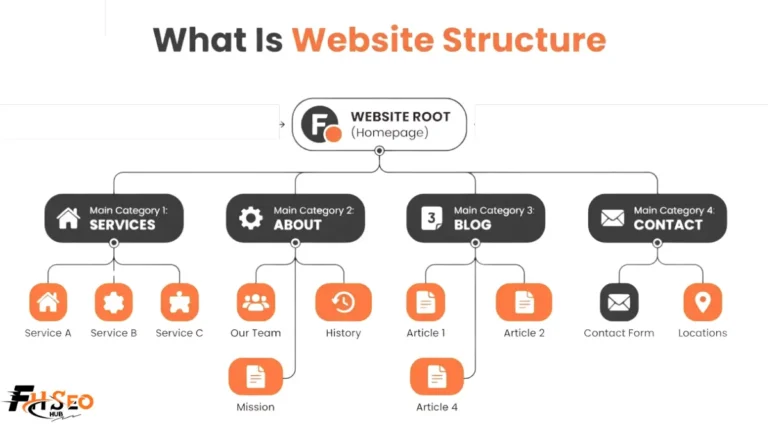
Review your overall site architecture during this step too, not just individual link targets. Confirm breadcrumb structure still reflects the new URL hierarchy correctly, and check that crawl depth to important pages hasn’t increased as a side effect of any structural changes made during the migration.
Configure Google Search Console (Change of Address & Sitemap Submission)
Configuring Google Search Console means verifying the new domain or property, submitting the updated XML sitemap immediately at launch, and using the Change of Address tool if this is a full domain migration. The Change of Address tool doesn’t apply to URL restructuring within the same domain, only to a genuine domain change.
Set up Google Analytics 4 tracking on the new site before launch, not after, so you don’t lose measurement continuity during the exact window you need it most. Monitor the Index Coverage report closely in the days after launch. A significant drop in valid indexed pages compared to your pre-migration baseline is an early warning sign worth investigating immediately, not waiting on.
Update External Links and Backlinks (Link Reclamation)
Link reclamation means reaching out to sites linking to your old URLs and asking them to update the link to the new URL directly. This works alongside 301 redirects rather than relying entirely on them to carry that backlink profile value forward indefinitely. Redirects work well for this, but a direct link update avoids any dependency on the redirect staying in place for years.
Google’s own guidance suggests keeping migration redirects active for at least a year, and indefinitely from a user’s perspective where practical, so don’t treat a redirect as a temporary bridge you can remove once traffic looks stable again. Prioritize outreach to your highest-authority linking domains first, using backlink monitoring tools to identify which external links carry the most value and deserve direct follow-up.
Post-Migration Monitoring: Traffic, Rankings and Crawl Errors
Post-migration monitoring means tracking organic traffic, keyword rankings, crawl errors, and indexed page count daily for at least the first 30 days. Most migration failures get caught late, not because they were unpreventable, but because nobody was watching closely enough early on. Set up alerts for sudden traffic drops rather than checking manually on a delay.
Watch crawl errors and 404s specifically in Search Console’s coverage report, since a spike here usually points directly to a redirect mapping gap you missed during planning. Cross-check current crawl activity against your pre-migration baseline to confirm Google is recrawling the new site at a healthy pace, not deprioritizing it due to unresolved technical issues.
How Long Does SEO Recovery Take After Migration?
Most well-executed migrations stabilize within 4 to 8 weeks, with the first 30 days determining most of the long-term outcome. Larger, more complex sites, or migrations with unresolved technical issues, can take 3 to 12 months to fully recover, and some migrations without a structured process never fully recover the lost visibility.
Simple migrations with no URL changes, a redesign that keeps the same URLs, for example, typically recover fastest, often within 2 to 4 weeks. Full domain changes or major URL restructures carry the longest realistic recovery window, since search engines need to rebuild trust in an entirely new domain or URL pattern, not just recrawl existing content at a new address.
Conclusion
A website migration SEO checklist works because it treats the redirect map, not the new design, as the highest-risk part of the whole project. Benchmark before you start, map every URL individually rather than defaulting to the homepage, use 301s exclusively, keep staging blocked until launch, and monitor daily for the first month. Most serious migration losses trace back to one of these steps being rushed or skipped, not to bad luck. Build the checklist into the project timeline from day one, not as a review step right before launch.
FAQs
Most well-executed migrations stabilize within 4 to 8 weeks. Larger or more complex migrations, or ones with unresolved technical issues, can take 3 to 12 months to fully recover, and the first 30 days after launch largely determine the outcome.
No, only for a full domain change. If you’re restructuring URLs within the same domain, correct 301 redirects and an updated XML sitemap handle the transition without needing the Change of Address tool.
Use 301 redirects for any permanent website migration. A 302 signals a temporary move, which delays how quickly search engines consolidate ranking signals onto the new URL, sometimes by months, so 302s should only be used for genuinely temporary situations.
Redirecting many old URLs to a single new page instead of mapping them individually is the most damaging documented mistake, followed by leaving the staging environment indexable and using 302 instead of 301 redirects.
Watch for a traffic drop that continues past 8 weeks instead of stabilizing. Also watch for a significant drop in valid indexed pages in Search Console’s coverage report, or a spike in crawl errors and 404s on pages that should have working redirects.